FinOps Inform
Cutting Lambda costs: the highest-yield levers in order
Discover five key strategies for effective lambda cost optimization that can significantly reduce your AWS Lambda spending today.

Five levers move the needle on AWS Lambda spend, and they don’t move it equally. Right-sizing memory through AWS Lambda Power Tuning typically finds the cost-optimal configuration fastest, because Power Tuning automates testing across memory sizes to expose the exact point where GB-seconds drop. After that, removing invocations altogether beats optimising them.
The ranked order that works for most engineering teams:
- Right-size memory using Power Tuning and AWS Compute Optimizer
- Cut invocation volume with direct integrations, batching and event filtering
- Migrate eligible functions to arm64 (Graviton)
- Fix cold starts with SnapStart or provisioned concurrency, whichever suits the workload
- Layer Compute Savings Plans on top of a stable baseline
Your first action today: pull telemetry on your top ten functions by spend and run Power Tuning against them before touching anything else.
Key Takeaways
Lambda cost optimization works best as a sequence: right-size memory first, remove unnecessary invocations second, then layer arm64 migration, cold-start fixes and Savings Plans on a stable baseline.
| Point | Details |
|---|---|
| Right-size before committing | Run Power Tuning and Compute Optimizer before purchasing any Savings Plan commitment. |
| Remove invocations first | Direct integrations and batching often cut invocation counts by 10 to 100 times. |
| Match cold-start fix to workload | Use SnapStart for bursty Java or .NET traffic, provisioned concurrency for steady, high-utilisation load. |
| Migrate compatible functions to arm64 | Rebuild native dependencies and A/B test via traffic-shifted aliases before full cutover. |
| Validate every change | Koritsu AI combines continuous AI analysis with hands-on engineering to find and verify hidden Lambda savings. |
How Lambda pricing breaks down and what to measure
Lambda charges for two things per invocation: a per-request fee and duration measured in GB-seconds, calculated from memory allocated multiplied by execution time. Lambda’s billing structure also includes provisioned concurrency, billed per GB-second whether or not it’s used, and SnapStart, which adds snapshot storage and restore charges rather than a per-invocation fee.
Statistic callout: Compute Savings Plans can discount Lambda duration by up to roughly 17% on multi-year commitments, but only once your baseline usage is stable enough to commit against.
For workloads with sustained, predictable concurrency, AWS Lambda Managed Instances and MicroVM-based pricing become relevant once request rates are high enough that per-invocation billing stops being the cheapest model.
Before changing anything, capture these account-level metrics:
- GB-seconds consumed and total invocation counts, by function
- Maximum memory used versus memory allocated
- Duration at p50, p95 and p99
- Cold-start frequency and provisioned concurrency utilisation
How do you right-size memory without guesswork?
Memory allocation in Lambda also sets CPU and network bandwidth, so under-provisioning memory often slows a function down enough that total GB-seconds actually rise. The sweet spot for memory allocation usually falls within a range that is higher than the lowest default but below the maximum limit for typical API workloads, but it varies enough by function that guessing is expensive.
- Rank functions by total GB-seconds or monthly cost and pick the top 10 to 20.
- Run AWS Lambda Power Tuning against each, which executes the function across multiple memory sizes and plots cost against duration.
- Choose the point that minimises GB-seconds, unless a latency SLO forces a higher setting.
- Cross-check against AWS Compute Optimizer’s machine-learning recommendations for a second opinion.
- Feed Power Tuning output into CI/CD as a generated configuration artefact, so future deployments don’t silently drift back to a default memory value.
Prioritise functions with high GB-seconds or user-facing latency first. A background job running twice a day isn’t worth the engineering time; a checkout function invoked 2 million times a month is.
Pro Tip: Automate right-sizing as a scheduled CI job rather than a one-off exercise. Traffic patterns shift, and yesterday’s optimal memory setting can quietly become tomorrow’s waste within a few months.

Which architecture changes cut invocation counts?
Removing a Lambda function entirely beats optimising it every time, because zero invocations cost zero GB-seconds. Architectural changes that eliminate unnecessary functions are consistently the largest durable source of savings teams find.
Watch for these patterns, which usually signal an avoidable function:
- Passthrough functions that just reshape a payload between two AWS services
- Trivial transforms triggered on every single S3 object or DynamoDB record
- Per-record Lambda triggers where batching would work just as well
Concrete steps: audit every invocation source, add message filtering on EventBridge rules to stop irrelevant events reaching a function at all, batch SQS and S3 processing instead of firing per-record, and use direct API Gateway to DynamoDB integrations or EventBridge Pipes where no business logic is actually needed. Batching and filtering alone can reduce invocation counts by 10 to 100 times on high-volume event sources.
When should you use SnapStart instead of provisioned concurrency?
Cold starts matter for synchronous, user-facing requests. They rarely matter for async background jobs, queue consumers, or scheduled batch work, so don’t pay to fix a problem nobody notices.
- If your workload runs on Java or .NET and traffic is bursty or unpredictable, start with SnapStart. SnapStart removes the ongoing cost of provisioned warm capacity and only adds snapshot storage and restore charges, no per-invocation fee.
- If traffic is steady and predictable, provisioned concurrency can be cheaper, but only if utilisation stays high.
- Pair provisioned concurrency with Application Auto Scaling so unused warm capacity scales down outside peak hours rather than sitting idle and billing regardless.
Statistic callout: Provisioned concurrency bills continuously whether invoked or not, so a function provisioned at full capacity but running at low utilisation pays for unused capacity.
What does migrating to arm64 actually involve?
Graviton-based arm64 functions tend to deliver better price-performance than x86 for CPU-bound Lambda workloads, and migration is often less disruptive than teams expect. The main friction point is native dependencies compiled for x86, not the Lambda configuration itself.
Work through this checklist before flipping the switch:
- Confirm your runtime version supports arm64 (all current supported runtimes do)
- Rebuild any native modules or binary dependencies for the arm64 architecture
- Update container base images to arm64 equivalents if you deploy via container image
- Run load tests comparing latency and error rates against the existing x86 version
- Publish a new version and alias, then split traffic gradually for a live A/B comparison before a full cutover
Do Compute Savings Plans make sense for Lambda?
Compute Savings Plans cover Lambda duration (GB-seconds) commitments, alongside EC2 and Fargate usage, in exchange for a discount against on-demand rates. One and three-year commitments both qualify, with three-year terms delivering the deeper discount.
- Only commit once memory right-sizing and invocation-reduction work is done. Committing against an unoptimised baseline locks in waste at a discount, not real savings.
- Base the commitment on your lowest sustained usage over the past 3 to 6 months, not peak season, to avoid over-committing.
- Purchase in stages: commit to a conservative floor first, then add further commitment quarterly as usage patterns confirm themselves.
Statistic callout: A multi-year Compute Savings Plan can shave up to roughly 17% off Lambda duration costs, which is meaningful, but only on usage you’re confident won’t shrink.
What should you monitor to prove the savings are real?
Optimisation without measurement is just guessing with extra steps. Track GB-seconds, maximum memory used, duration at p50/p95/p99, cold-start rate, invocation counts, and downstream cost signals from services your functions call.
- Use AWS X-Ray to trace request paths and spot which functions or downstream calls dominate latency and cost.
- Run Amazon CodeGuru Profiler against expensive functions to catch inefficient code paths Power Tuning alone won’t reveal.
- Emit structured metrics via CloudWatch Embedded Metric Format so cost dashboards update automatically as usage changes; see this guide to trimming logging costs for cutting the CloudWatch bill that often accompanies heavy tracing.
- Set AWS Cost Anomaly Detection alerts on Lambda spend so a bad deploy or runaway retry loop gets caught in hours, not at month-end billing.
- Gate deployments in CI/CD on Power Tuning output, so a regression in memory configuration fails the pipeline rather than the invoice.
Where hidden Lambda costs actually live
The expensive Lambda functions are rarely the ones anyone suspects. Recursive invocation chains, retry logic without backoff limits, verbose debug logging left on in production, and concurrency limits set far above actual need all quietly inflate bills without triggering an obvious alarm.
Koritsu AI’s approach combines continuous, AI-driven analysis with hands-on engineering review, because pattern detection alone rarely produces a fix. Our platform, Kori, flags:
- Functions with abnormal retry or recursion patterns invisible in a single trace
- Logging volume disproportionate to a function’s actual diagnostic value
- Concurrency reserved well above observed peak demand
- Cost allocation gaps that hide which team or feature is actually driving spend
A recent financial services engagement cut a Lambda bill by 96% by combining power-tuning with code-level fixes like connection reuse and smaller deployment packages, then validating every change against profiler traces.
A five-day Lambda cost sprint you can run this week
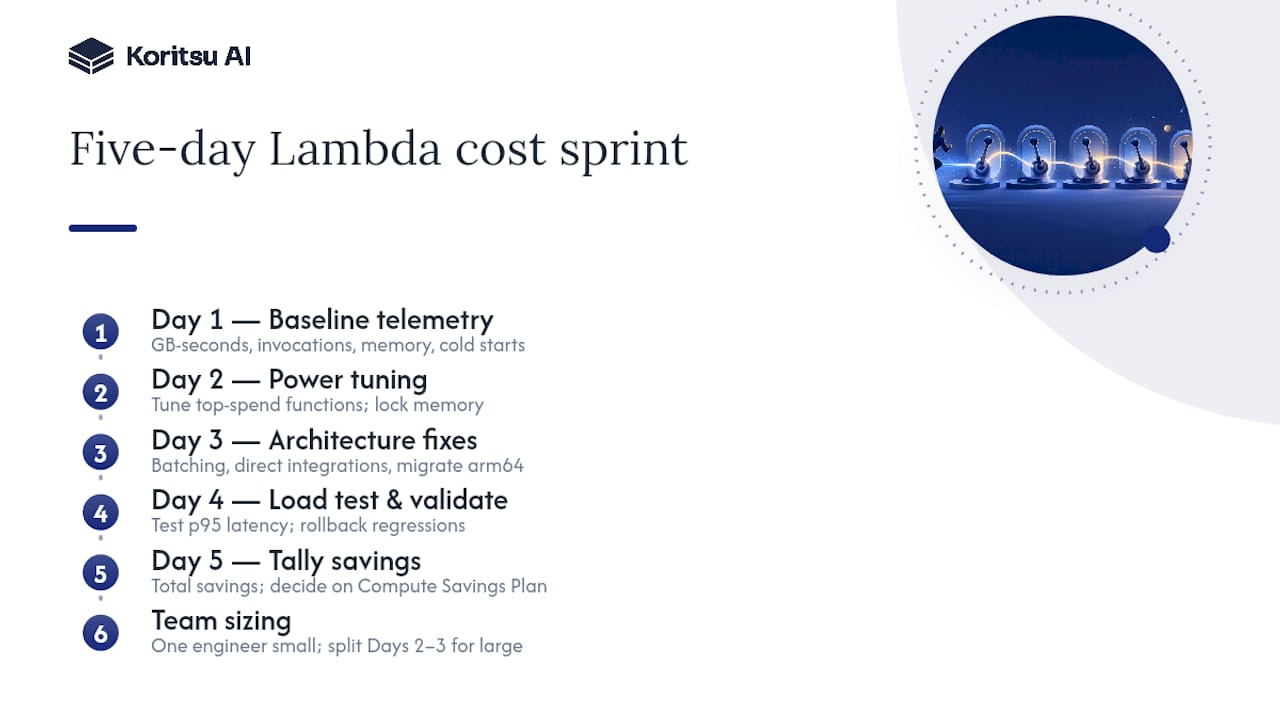
Day 1: pull baseline telemetry, GB-seconds, invocations, memory used, cold starts, across every function. Day 2: run Power Tuning on the top-spend functions and lock in new memory settings. Day 3: apply architecture fixes, batching, direct integrations, and migrate arm64 candidates. Day 4: load-test and validate against p95 latency, rolling back anything that regresses. Day 5: total the realised savings and decide whether to commit to a Compute Savings Plan.
One engineer can run this alone for a small estate; larger environments benefit from splitting Days 2 to 3 across two people working different function groups in parallel.
How Koritsu AI turns these levers into realised savings
Everything above works, but most engineering teams don’t have a spare sprint week sitting idle between feature deadlines. Koritsu AI runs this exact playbook for you: continuous AI-driven analysis surfaces the hidden inefficiencies, and our FinOps engineers execute the fixes rather than handing you a dashboard and walking away. A UK bidding platform cut cloud costs by 52% working with us this way.

Every engagement starts with a free assessment, so you see exactly where the waste sits before committing to anything. From there, we work on a success-fee basis: we only get paid a share of the savings we actually find and verify against your billing. Once the initial engagement proves out, teams typically move to an ongoing subscription for continuous monitoring through our platform. If your Lambda bill has been climbing without a clear reason why, start with a free assessment and find out what’s actually driving it.
Sources
- Optimizing your AWS Lambda costs – Part 1 | AWS Compute Blog
- Lambda cost and performance optimization - Serverless Applications Lens
- re:Invent 2025 - Best practices for serverless developers | AWS re:Post