FinOps Inform
What is workload optimisation in cloud computing?
Discover how workload optimisation in cloud computing can save costs and enhance performance by aligning resources with real business needs.

Workload optimisation in cloud computing means continuously matching the compute, storage, and network capacity you pay for to the capacity your applications actually need, so cost and performance stay aligned to real business value rather than to guesswork. Do this today: check your cloud provider’s cost dashboard for idle or oversized resources, run one rightsizing check on your biggest instance family, and switch on autoscaling or scheduled shutdowns for anything non-production.
- Pull a recent utilisation report and flag anything with low CPU usage.
- Rightsize one high-spend workload this week, not next quarter.
- Turn on auto-stop for dev and test environments overnight.
Pro Tip: Treat this as a recurring habit, not a spring clean. A single rightsizing pass fixes today’s waste; a monthly review catches tomorrow’s.
Key Takeaways
Effective cloud workload optimisation aligns capacity to actual usage continuously, combining rightsizing, autoscaling, tagging, and architectural fixes rather than one-off cost cuts.
| Point | Details |
|---|---|
| Optimisation is continuous | Treat it as an ongoing FinOps cycle, not a one-time rightsizing exercise. |
| Start with native tools | Use Azure Advisor, AWS Compute Optimizer, and GCP Recommender before adding third-party automation. |
| Fix code before scaling | Optimise inefficient code and queries first; adding infrastructure only masks the real cost driver. |
| Tag everything early | Cost allocation tagging is what makes every later optimisation step measurable. |
| Consider expert support | Koritsu AI pairs continuous AI-driven analysis with FinOps specialists on a success-fee basis for teams without spare capacity. |
What is workload optimisation in the cloud, precisely?
Workload optimisation is the discipline of tuning how cloud resources are provisioned, scheduled, and architected so that spend and performance both track actual demand. It covers rightsizing instances, autoscaling policies, tagging for cost allocation, and architectural choices like serverless or caching layers that reduce unnecessary compute.
It is not the same as blunt cost-cutting or pure performance tuning:
- Optimisation vs cost-cutting: cutting costs might mean shutting down a service; optimisation means running it at the right size for its actual load.
- Optimisation vs performance tuning: performance tuning chases speed alone; optimisation balances speed against what that speed actually costs the business.
Why workload optimisation matters to your bottom line
Get this right and the payoff shows up in five places: cost transparency, predictable performance, stronger reliability, faster incident response, and better ROI on every cloud pound spent. Microsoft’s Well-Architected guidance is blunt about this: overperformance can be as costly as underperformance, because paying for headroom nobody uses is still waste, just a quieter kind.
- Cost transparency: know what each service, team, or feature actually costs.
- Predictable performance: fewer surprise slowdowns under load.
- Reliability: right-sized workloads fail less often under stress.
- Faster incident response: clean tagging means faster root-cause work.
- Better ROI: spend maps to outcomes, not just infrastructure.
Track average utilisation, cost per service, and p95/p99 latency. These numbers give finance and engineering a shared language, which is the whole point of FinOps accountability.
The core components of effective workload optimisation
Five pillars hold this together, and skipping one usually undermines the rest.
- Rightsizing and instance selection: matching CPU-optimised, memory-optimised, or general-purpose families to actual workload behaviour, not habit.
- Autoscaling and scheduling: Kubernetes Horizontal Pod Autoscaler, cluster autoscaler, scheduled start/stop for non-production, and spot or preemptible instances for tolerant batch jobs.
- Tagging and cost allocation: every resource traceable to a team, feature, or business function.
- Architectural patterns: serverless, containers, stateless design, and caching reduce the baseline you need to optimise in the first place.
- Observability and testing: you cannot tune what you cannot see.
Pro Tip: Start with your three highest-spend workloads, not your easiest ones. A 15% saving on a £200,000 annual bill beats a 40% saving on a £2,000 one.
Which cloud-native tools actually move the needle?
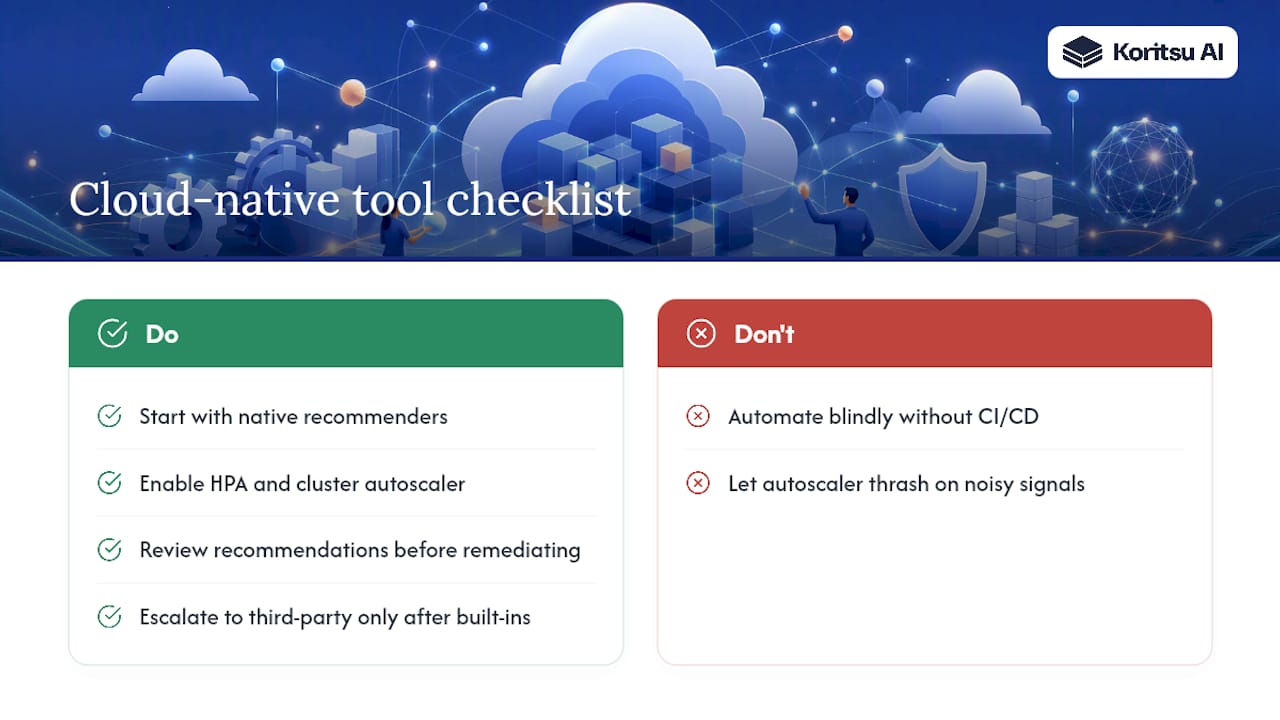
Every major provider ships free recommendation engines, and most teams underuse them. Azure Advisor flags idle resources and rightsizing opportunities across compute, storage, and networking. AWS Compute Optimizer analyses CloudWatch metrics and recommends instance types based on actual usage patterns. GCP Recommender does the same across Google Cloud, surfacing machine-type and commitment suggestions.
For container workloads, Kubernetes autoscaling handles the runtime side: HPA scales pods based on load, while the cluster autoscaler adds or removes nodes as demand shifts.
Native provider tools are the right starting point for almost every team. Escalate to third-party automation or custom remediation only once you have exhausted the free, built-in signal.
The trade-off with automated remediation is risk: an autoscaler that reacts too aggressively to noisy metrics can thrash, and blind automation without CI/CD integration can undo a deliberate architectural decision. Use native recommendations to build confidence before you automate action on top of them.
A six-step checklist to start this week
- Discover — inventory workloads and current spend (2 to 3 days, FinOps lead).
- Tag — apply cost allocation tags to every resource (1 week, app owners).
- Prioritise — rank workloads by spend and business criticality (1 day, FinOps and SRE).
- Rightsize — act on the top three recommendations from your provider’s tool (1 week, SRE).
- Automate — enable autoscaling or scheduled shutdowns (1 to 2 weeks, SRE).
- Validate — confirm savings and no reliability regression (ongoing, all owners).
Pro Tip: Assign one named owner per step from day one. “The platform team” is not an owner; a person with a deadline is.
How do you measure whether optimisation is working?
Track five KPIs: average utilisation, idle fraction, cost per service, p95/p99 latency, and savings realised against your original baseline. Google Cloud’s Well-Architected Framework frames this as a continuous cycle: define requirements, design and deploy, monitor and analyse, then optimise again, with observability and automation as prerequisites throughout.
- Embed cost and performance checks as gates in your CI/CD pipeline, not as a quarterly afterthought.
- Set rollout stages so a rightsizing change hits staging before production.
- Confirm every change against a validation checklist: did utilisation improve, did latency hold steady, did error rates stay flat?
If any of those three move the wrong way after a change, roll it back before calling it a saving.
Advanced patterns once the basics are covered
Once rightsizing and autoscaling are routine, senior teams look at harder problems:
- Workload consolidation and bin-packing: fitting more workloads onto fewer, better-utilised nodes.
- Topology-aware GPU placement: schedulers that understand hardware topology avoid fragmentation and improve feasible placements for large AI or ML jobs, an approach explored by projects like the KubeNexus scheduler.
- Custom scheduler strategies: replacing default schedulers when heterogeneous hardware demands it.
- Workload-aware placement: matching a workload’s signature (bursty, steady, batch) to the infrastructure best suited to it.
Adopt these once you have scale, hardware heterogeneity, or a cost profile that justifies the engineering investment.
Common pitfalls that undo your progress
- Overprovisioning “just in case” instead of measuring actual demand.
- Scaling hardware to mask inefficient code rather than fixing it.
- Letting automated remediation run unchecked without human review.
- Cutting cost at the expense of your service-level objectives.
- Skipping tagging, which makes every future optimisation harder.
Watch for rising error rates, dropping throughput, or repeated rollbacks. These are signs optimisation has gone too far.
What savings and timelines can teams realistically expect?
Most teams uncover meaningful waste in their first review, though the range varies by how neglected the environment has been. A conservative first pass often trims a modest share of monthly spend; a more aggressive effort involving rightsizing, autoscaling, and architectural changes goes further, though continuous optimisation rather than a one-off pass is what sustains it.
- Discovery and quick wins: usually take a short period with a FinOps lead and SRE.
- Deeper rightsizing and automation can require several weeks depending on environment size.
- Architectural changes such as serverless migration and caching layers might take a few months.
Fixing inefficient code or queries, rather than adding infrastructure to mask them, is often the more durable route to lasting savings.
Where to go deeper on FinOps and Well-Architected guidance
- FinOps Foundation’s workload optimisation capability for governance and remediation playbooks.
- Provider Well-Architected frameworks for platform-specific optimisation pillars and continuous review guidance.
Kori’s view: where teams commonly trip up
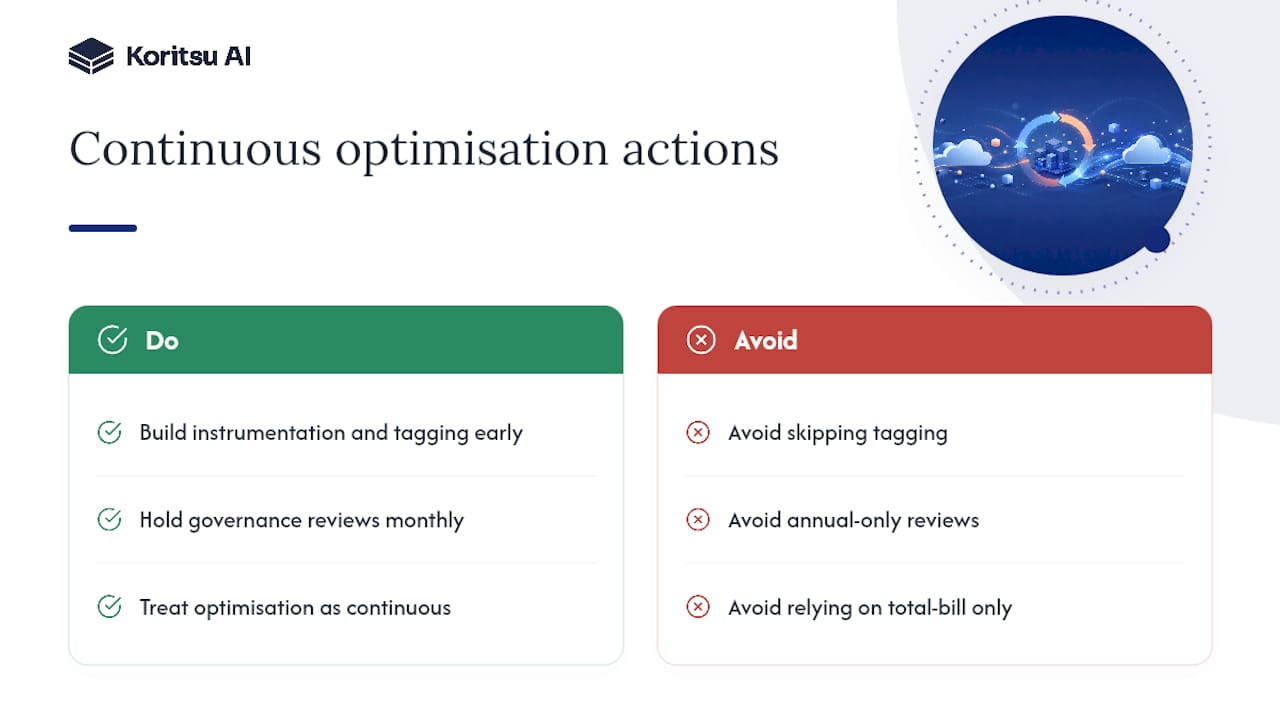
The mistake we see most is treating optimisation as a project with an end date. It isn’t. Clients who succeed build instrumentation and tagging early, then hold governance reviews monthly rather than annually. The teams who struggle usually skipped tagging altogether. They know their total bill but can’t say which team caused it, and that gap is where waste hides longest.
How Koritsu AI helps you act on this without adding headcount
Most teams know roughly where their cloud waste is hiding; the harder part is finding the engineering root cause and having someone execute the fix. Koritsu AI runs continuous analysis across your AWS, Azure, or GCP spend through our AI agent, Kori, then pairs the findings with FinOps specialists who help your team implement the changes, from rightsizing to architectural remediation.

Engagements start with a free assessment, and we work on a success-fee model, taking a share only of the savings we actually deliver, verified against your billing. This suits CTOs, finance leads, and SRE teams at mid-sized and enterprise organisations running multi-cloud production workloads, particularly where internal capacity to chase down every inefficiency is limited. Start with a free assessment through Koritsu AI to see what’s recoverable in your own environment.
Frequently asked questions
What is workload optimisation in cloud computing, in one sentence? It’s the ongoing process of matching your cloud resources, compute, storage, and scaling policies, to actual demand so you get predictable performance without paying for capacity you don’t use.
How is workload optimisation different from cost optimisation? Cost optimisation often means cutting spend directly; workload optimisation tunes how resources are used, and cost savings follow as a result, alongside better reliability and performance.
Which tools should I check first? Azure Advisor, AWS Compute Optimizer, and GCP Recommender all offer free, native recommendations, and they’re the logical starting point before any custom automation.
How often should we review workload optimisation? Monthly at minimum for high-spend workloads. Annual reviews let drift and waste accumulate for far too long to catch efficiently.
Does workload optimisation compromise security or compliance? It shouldn’t, provided rightsizing and automation changes go through the same change-management and access-control processes as any other production deployment.
Sources
- Workload optimization capability — Microsoft Learn
- Workload optimization capability — FinOps Foundation
- Performance optimization — Google Cloud Well-Architected Framework