FinOps Inform · Cost Management
Cloud deployment cost checklist for CTOs in 2026
Discover the ultimate cloud deployment cost checklist for CTOs in 2026. Uncover hidden costs and optimize your cloud budget effectively.

A cloud deployment cost checklist is a structured framework that captures every cost associated with running cloud infrastructure, from visible compute bills to the engineering hours that never appear on an invoice. Most technology leaders focus on the monthly AWS, Google Cloud, or Azure statement and miss the larger picture entirely. Visible infrastructure costs represent only 20 to 30% of true deployment cost, with engineering time and operational overhead making up the majority. A typical AWS setup showing £130 per month on paper carries a true cost between £1,255 and £1,630 once staff time is factored in. Getting this right is not optional. It is the difference between a cloud budget that holds and one that quietly doubles.
What are the key cost components in a cloud deployment cost checklist?
Understanding cost factors for cloud deployment starts with separating what appears on your bill from what does not. The visible layer includes compute (EC2 instances, Cloud Run, App Engine), storage (S3, RDS, persistent disks), networking (load balancers, NAT gateways, egress fees), and software licensing. These are the costs most teams track. They are also the minority of the total.
The hidden layer is where budgets collapse. Engineering time for infrastructure maintenance, incident response, on-call rotations, and the opportunity cost of senior engineers managing servers rather than building product accounts for 70 to 80% of the real figure. This is what Koritsu AI refers to as the “complexity tax.” Platforms like AWS offer maximum control but impose the highest complexity tax. Managed platforms like Render or Heroku reduce that tax by abstracting infrastructure, but at a higher per-unit price. Out Plane sits in the middle, offering deployment simplicity with more pricing transparency.

The table below illustrates how the same workload compares across platforms when true costs are included:
| Platform | Visible monthly cost | Engineering overhead | Estimated true cost |
|---|---|---|---|
| AWS (self-managed) | £130 | High (10+ hrs/month) | £1,255 to £1,630 |
| Heroku | £250 | Low (1 to 2 hrs/month) | £310 to £370 |
| Render | £180 | Low to medium | £260 to £340 |
| Out Plane | £200 | Low | £270 to £350 |
Container deployments add another layer of cost that teams routinely underestimate. Data transfer between container registries such as Amazon ECR and compute clusters generates cross-AZ fees that compound at scale. Multi-region image replication multiplies storage and transfer costs unless you restrict replication to production-ready tagged releases only.
Key cost components to include in your checklist:
- Compute: instance type, reserved vs on-demand, spot usage
- Storage: object storage, block storage, database, backups
- Networking: egress, cross-region transfer, load balancing, NAT
- Container registry: image storage, pull frequency, replication scope
- Engineering time: infrastructure maintenance, incident response, deployment pipelines
- Third-party services: monitoring tools, logging platforms, security add-ons
- Licensing: commercial database engines, middleware, SaaS integrations
How to implement monitoring and governance in your cost checklist
Budget alerts are the single most critical monitoring step before any workload reaches production. AWS Budgets and CloudWatch allow you to set thresholds at account, service, and tag level, triggering notifications before costs spiral. Without these in place, a misconfigured autoscaling policy or a forgotten development environment can generate thousands in unexpected charges within days.
Mandatory resource tagging is the second non-negotiable. Every resource must carry tags for team, project, environment (production, staging, development), and cost centre. Without tagging, you cannot allocate costs accurately, and accountability disappears. Driver-based forecasting models map planned product launches, workload changes, and commitment purchases to projected costs, replacing static annual budgets with continuous, rolling forecasts that reflect reality.
Practical steps for your governance checklist:
- Configure AWS Budgets or equivalent alerts at 50%, 80%, and 100% of monthly threshold
- Enforce tagging policies via AWS Config rules or Azure Policy before resources can be created
- Integrate billing data exports (AWS Cost and Usage Report, GCP BigQuery billing export) into a BI tool such as Looker or Grafana for weekly variance reviews
- Assign a named cost owner to each service or team cluster
- Review third-party add-on costs monthly. Datadog, New Relic, PagerDuty, and Snyk all carry per-seat or per-host pricing that scales unexpectedly with team growth
- Run a monthly cost and performance analysis to surface idle resources, underutilised reserved instances, and orphaned storage volumes
Pro Tip: Automate anomaly detection using AWS Cost Anomaly Detection or a tool like Koritsu AI’s Kori agent. Manual reviews catch problems after the fact. Automated anomaly alerts catch them within hours.
Cloud cost by team tracking is the governance model that makes tagging meaningful. When each engineering team sees its own spend weekly, behaviour changes faster than any policy mandate.
Architectural decisions that reduce deployment costs
Serverless-first architecture is the highest-leverage decision on any cloud deployment budget guide. Shifting workloads to serverless reduces costs by 60 to 90% for low-to-medium traffic applications. For an MVP handling 10,000 monthly requests, costs drop from £162 to £37, a 77% saving. AWS Lambda, Google Cloud Functions, and Azure Functions all deliver this outcome when workloads are event-driven or intermittent.
Database auto-pause is an underused tactic for non-production environments. Aurora Serverless v2 and Neon Postgres both support auto-pause after a configurable idle period. Enabling this for development and staging databases saves up to 76% on database costs in those environments, where uptime requirements are minimal.
The following strategies, applied together, can reduce total deployment costs by over 70%:
- Serverless compute for event-driven and low-traffic workloads (AWS Lambda, Cloud Run)
- Auto-pause on development and staging databases (Aurora Serverless, Neon)
- Right-sizing compute instances using AWS Compute Optimiser or GCP Recommender, targeting 60% reduction in over-provisioning
- Spot and preemptible instances for batch processing and CI/CD runners
- CDN and caching via CloudFront or Cloudflare to cut bandwidth costs by 50%
- Lifecycle policies in Amazon ECR or Google Artifact Registry to remove untagged images, reducing storage costs by 60 to 70%
- VPC endpoints for ECR to eliminate cross-AZ transfer fees, at a cost of approximately £7.20 per month per availability zone versus potentially thousands in transfer charges
Pro Tip: Restrict container image replication to production-tagged releases only. Replicating every build across all regions multiplies storage and egress costs with no operational benefit.
| Strategy | Estimated saving | Applies to |
|---|---|---|
| Serverless migration | 60 to 90% | Low-to-medium traffic workloads |
| Database auto-pause | Up to 76% | Dev and staging environments |
| CDN and caching | Up to 50% | Bandwidth-heavy applications |
| ECR lifecycle policies | 60 to 70% | Container-heavy deployments |
| VPC endpoints | Variable, high | ECR-to-EKS or ECR-to-EC2 traffic |
Understanding cloud total cost of ownership is the prerequisite for making these architectural trade-offs with confidence rather than guesswork.
Common pitfalls to check in your cloud deployment costs
The most damaging mistake in cloud cost management is treating the monthly invoice as the total cost. True costs run 3 to 5 times higher than visible invoices when engineering overhead is included. A team that budgets based on the AWS bill alone will consistently underestimate and overspend.
These are the pitfalls that appear most frequently when conducting a cloud migration cost assessment:
- Ignoring engineering overhead. Infrastructure maintenance, incident response, and deployment pipeline management are real costs. Track them in your cost model, not just your project management tool.
- Untracked cross-region data transfer. Moving data between AWS regions or between a registry and a compute cluster in a different availability zone generates fees that compound quickly. Zero-egress architectures and VPC endpoints are the practical remedies.
- Missing or inconsistent tagging. Without mandatory tagging enforced at resource creation, cost allocation becomes guesswork. You cannot optimise what you cannot attribute.
- Overprovisioning without rightsizing. Teams provision for peak load and never revisit instance sizes. AWS Compute Optimiser and GCP Recommender surface rightsizing opportunities automatically. Use them on a monthly schedule.
- Unaudited third-party add-ons. Monitoring, logging, and security tools accumulate. A team of 20 engineers can easily carry £3,000 to £5,000 per month in SaaS tooling that overlaps or goes unused.
- Container registry bloat. Without lifecycle policies, registries accumulate thousands of untagged images. Storage fees grow silently. A single policy rule deleting untagged images older than 14 days resolves this in minutes.
- Static annual budgets. Cloud costs are dynamic. A product launch, a traffic spike, or a new microservice can invalidate an annual forecast within weeks. Continuous, driver-based forecasting is the only model that keeps pace.
Key takeaways
A cloud deployment cost checklist works only when it accounts for both visible infrastructure spend and the engineering overhead that typically represents 70 to 80% of the true total.
| Point | Details |
|---|---|
| True cost is 3 to 5x the invoice | Engineering time and operational overhead dwarf visible cloud bills. |
| Budget alerts are non-negotiable | Configure AWS Budgets or equivalent before any workload reaches production. |
| Tagging drives accountability | Mandatory resource tagging is the foundation of accurate cost allocation by team and project. |
| Serverless saves 60 to 90% | Migrating eligible workloads to AWS Lambda or Cloud Run delivers the largest single cost reduction. |
| Continuous forecasting beats annual plans | Driver-based models that update with each launch and workload change prevent budget surprises. |
What I have learned about cloud cost checklists after years of analysis
Most CTOs I work with are not surprised that cloud costs are high. They are surprised by where the money actually goes. The invoice is almost never the problem. The problem is the 40 hours per month a senior engineer spends managing Kubernetes clusters that a managed service would handle for a fraction of the cost. That is the complexity tax, and it is invisible until you measure it deliberately.
The shift I find most consequential right now is the move from annual cloud budgets to continuous, driver-based forecasting. Teams that update their cost model every time a new service launches or a workload changes catch problems in days rather than quarters. Those still working from a spreadsheet updated once a year are always reacting, never anticipating.
Architectural decisions compound over time. A team that adopts serverless-first principles early, enforces tagging from day one, and runs lifecycle policies on its container registry will spend materially less than a team that retrofits these practices two years in. The checklist is not a one-time exercise. It is a governance habit that matures with your infrastructure.
The technical and financial disciplines need to sit in the same room. When engineering teams see their own cost data weekly, they make different decisions. When finance teams understand what drives cloud spend, they write better budgets. The checklist is the shared language that makes that conversation possible.
How Koritsu AI helps you act on your cost checklist
Running through a cloud deployment cost checklist is the diagnostic. Acting on it is where most teams stall.
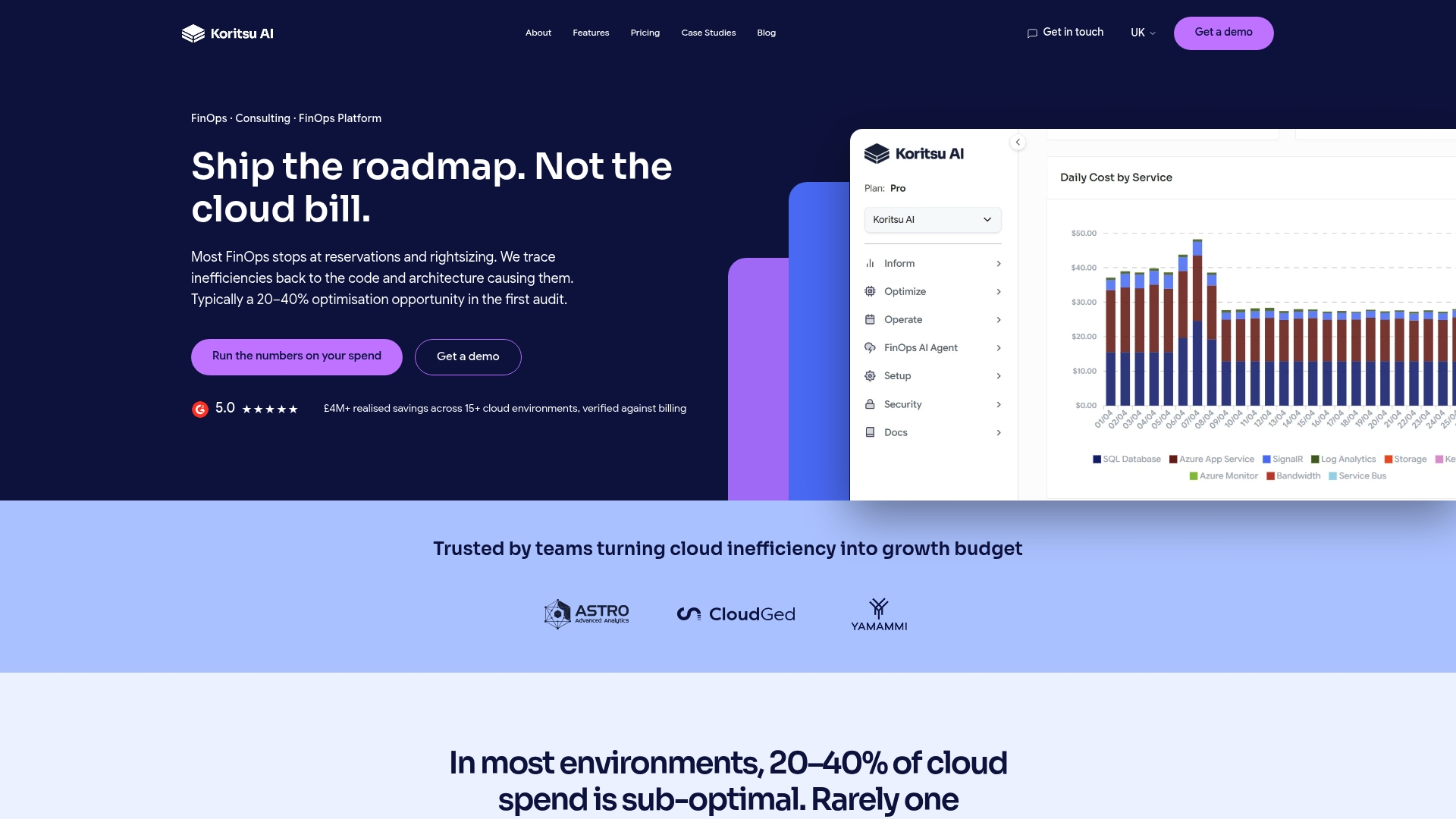
Koritsu AI combines continuous spend analysis with hands-on expert guidance to turn checklist findings into measurable savings. Kori, our AI agent, surfaces inefficiencies across AWS, Google Cloud, and Azure in real time, from overprovisioned instances to untagged resources and registry bloat. Our specialists help engineering teams implement fixes, not just identify them. One UK bidding platform achieved a 52% reduction in cloud costs working with Koritsu AI. You can start with a free cost assessment and only pay when we find savings. Explore our full range of cloud cost optimisation services to see how we work.
FAQ
What does a cloud deployment cost checklist include?
A cloud deployment cost checklist covers compute, storage, networking, container registry, engineering overhead, third-party services, and licensing costs. It also includes governance items such as budget alerts, resource tagging, and forecasting processes.
How much of cloud deployment cost is hidden from the invoice?
Visible costs represent only 20 to 30% of true deployment cost. Engineering time for maintenance, incident response, and operational overhead accounts for the remaining 70 to 80%.
What is the fastest way to reduce cloud deployment costs?
Migrating eligible workloads to serverless architecture is the highest-impact single change, reducing costs by 60 to 90% for low-to-medium traffic applications. Enabling database auto-pause for non-production environments delivers immediate savings with minimal effort.
Why is resource tagging critical for cloud cost management?
Without mandatory tagging, costs cannot be attributed to specific teams, projects, or environments. Driver-based forecasting and cost accountability both depend on consistent tagging enforced at resource creation.
How often should you review your cloud deployment costs?
Budget alerts should run continuously. Cost and performance reviews should occur weekly for fast-growing teams and monthly at minimum for stable workloads. Annual budgets alone are insufficient for dynamic cloud environments.