FinOps Inform
What is cloud native architecture cost, and what drives it?
Discover what drives cloud native architecture costs, from prototypes to enterprise solutions. Learn how to optimize your budget today!

A cloud native architecture typically costs anywhere from a few hundred pounds a month for a small prototype to hundreds of thousands for a large multi-region production system. The gap between those two numbers isn’t luck. It comes down to three levers: how well your workload scales with demand, which managed services you’ve committed to, and how much data you’re moving between regions or to the internet.
Here’s the quick version, before we get into the mechanics:
- Prototype or small SaaS usually costs a low monthly amount
- Mid-market production products often cost a moderate monthly amount
- Large enterprise, multi-region deployments typically incur higher monthly costs
You can start cutting waste this week, not next quarter. Turn on AWS Cost Explorer or your provider’s equivalent so spend is visible by service and team. Schedule idle development and test environments to shut down overnight. Run a rightsizing pass on your largest compute pools. The FinOps Foundation and firms like Koritsu AI both treat this as a continuous discipline, not a one-off audit, because cloud bills drift the moment nobody’s watching.
Key Takeaways
Cloud native architecture cost is driven primarily by workload elasticity, managed service choices, and data egress, and unit economics reveal which spend is healthy growth versus waste.
| Point | Details |
|---|---|
| Cost scales with maturity | Expect £200 to £1,000/month for prototypes, £5,000 to £25,000 for mid-market products, and £50,000-plus for enterprise multi-region systems. |
| Visibility comes first | Enable cost tagging and tools like AWS Cost Explorer before attempting any architectural optimisation. |
| Measure unit economics | Track cost per request, per user, or per tenant rather than relying on raw monthly spend alone. |
| Mix purchasing models | Cover predictable baseline load with commitments and handle bursts with spot or on-demand capacity. |
| Koritsu AI offers a low-risk starting point | A free assessment identifies architectural inefficiencies and charges only against verified, realised savings. |
Quick links to provider tools and documentation
- AWS Cost Explorer and AWS Pricing Calculator
- GCP Pricing Calculator
- Azure Cost Management
- Kubernetes and Terraform documentation
What does cloud native architecture mean for cost?
Cloud native architecture, in financial terms, means designing for elasticity, automation, and managed services so that spend moves with demand instead of sitting fixed. That’s a fundamentally different economic model from renting a data centre, and it’s why comparing the two on a spreadsheet often misleads people who’ve only worked with one.
| Model | Cost structure | Capacity | Operational overhead |
|---|---|---|---|
| On-premises | Capital-heavy, fixed upfront investment | Provisioned for peak, often idle | Predictable staffing, slow to change |
| Cloud native | Operational expenditure, pay-per-use | Scales with actual demand | Automation-heavy, needs new skills |
The trap most teams fall into is lift-and-shift: moving a monolith onto cloud infrastructure without redesigning it. AWS’s own guidance is blunt about this. You end up paying cloud prices for a non-cloud design, keeping every inefficiency you had on-premises while adding a metered bill on top. Cloud native isn’t a location. It’s a set of design decisions, and Google Cloud’s engineering principles treat automation and horizontal scaling as the mechanisms that actually convert “in the cloud” into “cost-efficient.”
The main cost drivers you need to measure first
Most billing surprises trace back to six categories, and you can rank them by how often they blow past budget.
- Compute: nodes, containers, and serverless functions, usually the largest and most visible line item.
- Storage: object storage classes, snapshots, and retention policies that quietly accumulate.
- Network: cross-region traffic and data egress, frequently the most underestimated cost.
- Managed services: databases-as-a-service, message queues, and observability platforms with their own pricing curves.
- Control plane and orchestration: Kubernetes control planes, load balancers, and the infrastructure that runs your infrastructure.
- People and operations: on-call rotations, runbook maintenance, and the engineering hours spent keeping it all working.
The FinOps Foundation’s framework makes a strong case that raw monthly spend tells you almost nothing on its own. Cost per request, cost per active user, and cost by feature or service are the numbers that actually let you prioritise.
Industry reporting consistently finds that cloud waste is an architecture problem dressed up as a billing problem. Untagged resources, always-on development environments, chatty east-west traffic between microservices, and retention policies nobody revisited in two years are the usual suspects behind runaway bills.

Pro Tip: Before you optimise anything, get a cost allocation model in place. You can’t fix what you can’t attribute to a team or a feature, and guessing wastes more engineering time than the waste itself. Practical attribution methods exist for exactly this problem.
How do providers actually bill, and which levers can you pull?
AWS, Azure, and Google Cloud all offer variations on the same purchasing menu: on-demand pricing, reserved instances or savings plans, spot or preemptible capacity, and serverless billing that charges per invocation or per 100 milliseconds of execution. Choosing the wrong one for a given workload is one of the fastest ways to overpay.
- On-demand suits unpredictable or short-lived workloads where commitment doesn’t pay off.
- Reserved instances and savings plans make sense for stable, predictable baseline load you’re confident will run for a year or more.
- Spot or preemptible instances work well for fault-tolerant, interruptible jobs like batch processing or CI pipelines.
- Serverless billing tends to beat provisioned compute for spiky or event-driven workloads with genuine idle periods.
AWS’s Well-Architected Framework recommends analysing your actual workload elasticity before committing to any single model, and tools like the AWS Pricing Calculator or the GCP Pricing Calculator make that modelling concrete rather than theoretical. Azure Cost Management does the same job on Microsoft’s platform.
Pro Tip: Watch data egress closely. It’s the cost line teams forget to model until the invoice arrives, because it doesn’t show up in a simple compute-hours calculation.
The practical rule: cover your predictable baseline with commitments, and leave bursts to pay-as-you-go or spot capacity. Mixing the two is how mature teams keep unit costs down without sacrificing headroom.
Which design patterns actually lower your cloud native cost?
A handful of architectural patterns do most of the heavy lifting, and each comes with a trade-off worth knowing before you commit.
| Pattern | Best use case | Main trade-off |
|---|---|---|
| Autoscaling | Variable, predictable-shape traffic | Requires tuned thresholds to avoid thrashing |
| Scale-to-zero | Low-traffic or dev/test environments | Cold start latency on first request |
| Serverless for events | Irregular, event-driven workloads | Complexity and cold starts at scale |
| Bin-packing via Kubernetes | Mixed workload clusters | Needs careful resource requests/limits |
| Spot pools for batch | Fault-tolerant, interruptible jobs | Workload must handle interruption gracefully |
| Storage lifecycle policies | Ageing or infrequently accessed data | Requires ongoing policy review |
Serverless platforms remove idle cost entirely by billing per execution, which is excellent for irregular workloads but a poor fit for long-running or CPU-intensive tasks where provisioned compute is cheaper per hour.
The practical rule underneath all of this: automate lifecycle management and build on Infrastructure as Code with tools like Terraform, so every environment is reproducible and trivially easy to shut down. One warning worth repeating: microservice decomposition without clear ownership creates sprawl fast, and sprawl is expensive in both cloud spend and engineering time spent tracing which service owns which cost.
Where do the trade-offs actually bite?
Managed services save engineering time but cost more per unit and increase vendor dependency. Self-managed infrastructure costs less per unit but demands skills, on-call capacity, and slower iteration. Neither answer is universally right, which is exactly why this decision needs a framework rather than a default.
Ask yourself three questions before choosing:
- Is this workload stable and predictable, or bursty and unpredictable?
- Is the developer productivity gain from a managed service worth the extra operating expenditure?
- Is data egress or multi-region resilience the dominant cost driver here?
Modelling cost as a design requirement from day one consistently produces a lower total cost of ownership than optimising after deployment. Your TCO calculation also needs to include engineering time and runbook maintenance, not just the invoice. A cloud TCO framework that accounts for staff hours will usually reveal that the “cheaper” self-managed option isn’t cheaper at all once you price in the on-call rota.
A fast estimate method and a five-item checklist
You don’t need a six-week audit to get a usable number. Start with three scenario ballparks and adjust for your own throughput and retention needs.
- Prototype: £200 to £1,000 a month, assuming low traffic, minimal redundancy, and short data retention.
- Mid-market product: £5,000 to £25,000 a month, assuming steady user growth, some managed services, and single-region deployment.
- Enterprise, multi-region: £50,000-plus a month, driven by redundancy, compliance requirements, and cross-region data transfer.
Once you have a number, turn it into unit economics: cost per request, cost per active user, or cost per tenant. That’s the figure that tells you whether growth is healthy or margin-eroding, a distinction raw monthly spend can’t make on its own.
Five actions to run this week:
- Enable cost visibility and enforce resource tagging.
- Shut down idle development and test environments outside working hours.
- Rightsize CPU and memory allocations against actual usage.
- Adopt spot instances for fault-tolerant batch workloads.
- Review storage lifecycle and retention policies.
Expected savings tend to land in phases. Visibility and orphan cleanup typically recover 10 to 20% fairly quickly. Full architectural optimisation, combining rightsizing, autoscaling, and smart purchasing, has been cited at 35 to 60% in some cases, though outcomes vary considerably by workload and starting point.
How does continuous analysis expose hidden inefficiencies?
Most cost overruns aren’t obvious until someone maps spend against actual usage patterns. That mapping is where automated, continuous analysis earns its keep over a one-off audit.
The pattern shows up repeatedly: teams assume their bill reflects genuine demand, then discover a third of their compute is running against code paths nobody’s called in months. The fix isn’t a bigger discount. It’s finding the inefficiency and rewriting it.
A typical engagement follows a consistent sequence:
- Discovery — establish visibility and tagging so spend maps to teams and services.
- Prioritise by unit economics — rank fixes by cost per request or per feature, not by raw pounds.
- Apply quick wins — rightsizing, idle shutdown, storage lifecycle cleanup.
- Measure and iterate — confirm savings against billing data, then move to the next target.
Koritsu AI’s model reflects this directly: clients are charged as a share of realised savings, so the incentive is measured impact, not billable hours.
What do security and compliance requirements add to the bill?
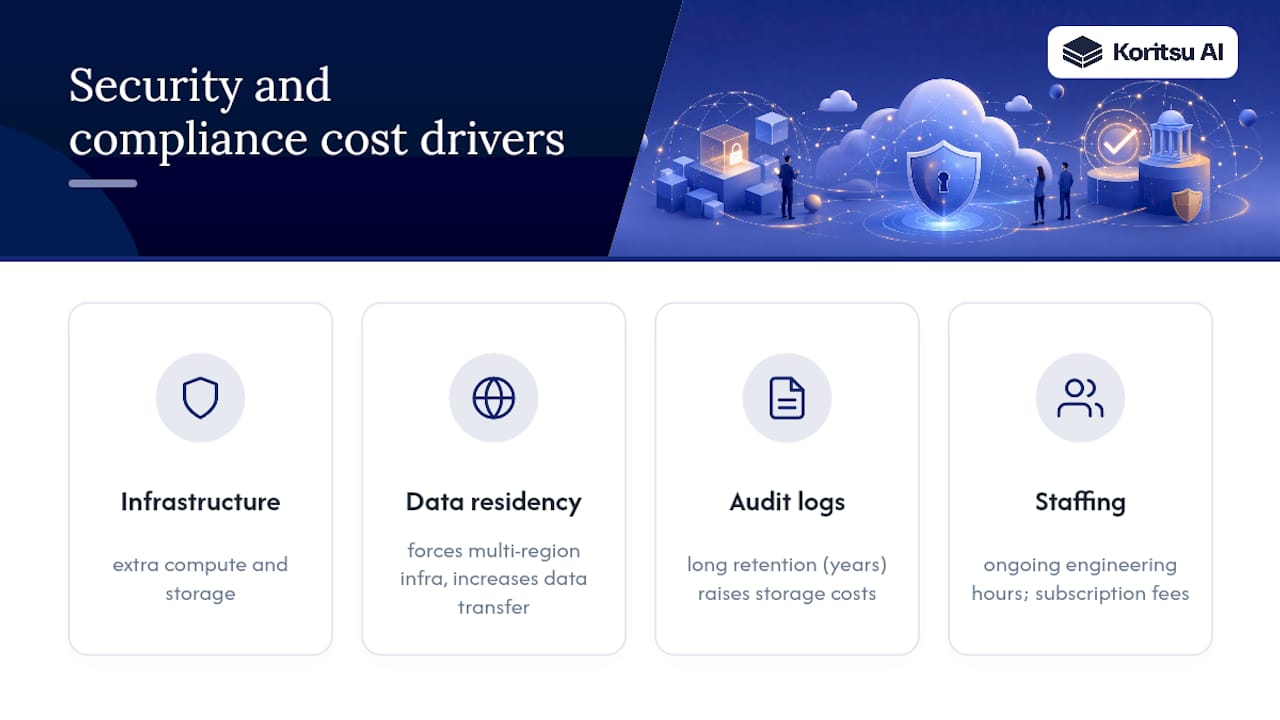
Security and compliance controls in a cloud native setup carry a real, ongoing cost, and it’s one teams routinely underestimate when they first budget a project. Encryption at rest and in transit, dedicated audit logging, and network isolation via private subnets or service meshes all consume compute and storage beyond the application’s baseline needs.
Compliance regimes that require data residency, such as keeping data within specific regions, can force multi-region deployments you wouldn’t otherwise need, and that multiplies both infrastructure and data transfer costs. Retention requirements for audit logs, sometimes running to years rather than months, add storage costs that compound quietly over time if nobody revisits the policy.
There’s also a people cost that’s easy to miss in a pure infrastructure calculation. Maintaining SOC 2, ISO 27001, or sector-specific controls demands ongoing engineering and compliance hours, not just a one-off certification project. Automated compliance scanning tools and dedicated security tooling (SIEM platforms, vulnerability scanners) add their own subscription costs on top of the infrastructure they’re protecting.
The practical takeaway: model security and compliance as a cost category from the start of your architecture, not as a retrofit. Treating it as a non-functional requirement alongside performance and availability, in line with the design-phase cost modelling approach described earlier, keeps the eventual bill from arriving as a surprise.
Author perspective: what should engineering leaders focus on first?
Start with visibility, not architecture. You can’t prioritise fixes you can’t see, and most teams skip straight to rearchitecting before they’ve tagged a single resource. Stop the largest waste first, stabilise your baseline with commitments, then invest in structural change.
My honest bias: tie every cost metric to a feature owner. Untagged spend is nobody’s responsibility, which means it’s everybody’s problem. And shift your reporting from absolute monthly spend to cost per transaction. That single change reframes every conversation from “we spent too much” to “is this growth profitable.”
Get a free cloud cost assessment before you commit to a redesign
Rearchitecting for cost efficiency is the right long-term move, but you don’t need to guess where to start. Koritsu AI runs a free assessment first: our AI agent Kori analyses your actual billing and usage data, our specialists review the architectural root causes, and you get a savings report with prioritised fixes before you spend a penny on our involvement.

You only pay when we find and verify realised savings, and from there teams typically move onto an ongoing subscription for continuous monitoring rather than repeating the audit from scratch every year. One UK bidding platform worked with Koritsu AI and achieved a 52% reduction in cloud costs through exactly this process: assessment, prioritisation, remediation, measurement. If your monthly cloud bill has been climbing faster than your traffic, start with a free assessment and see what the analysis actually finds before you touch a single line of infrastructure code.
Sources
- Well-Architected Framework — Cost and pricing model analysis | AWS Documentation
- Cost Optimization & FinOps — System Design Space
- Cloud-Native Architecture for Cost Optimization | Digisoft Solution