FinOps Inform
Cut EC2 Costs in 30–60 Days, Engineers: Measure, Rightsize, Buy with AI
Engineer-facing playbook that sequences visibility, rightsize, then commit. Achieve measurable EC2 savings in 30–60 days with AI analysis and hands-on...

Start with visibility, then rightsize. Once you know what your instances actually use, layer in savings plans, reserved capacity, spot, and autoscaling on top of that accurate baseline. Get the sequencing wrong, and every discount you buy locks in waste you never fixed. Run an assessment first; everything else follows from what it tells you.
TL;DR:
- Rightsizing instances using comprehensive utilization data can save 20 to 40 percent and should be completed before committing to Reserved Instances or Savings Plans.
- Spot instances are highly cost-effective for fault-tolerant workloads, but require diversification and fallback strategies to mitigate interruption risks.
- Automating instance shutdowns outside of business hours and leveraging hibernation for stateful workloads significantly reduces idle compute costs.
- Using PrivateLink, S3 Gateway Endpoints, and strategic data routing can substantially lower networking transfer expenses.
- Enforcing resource tagging, establishing regular anomaly detection, and starting with a free AI-powered assessment are essential for sustained, effective optimization.
What is EC2 cost optimization, and where do you start?
EC2 cost optimization means matching what you provision to what you actually use, then buying that usage at the lowest available price. It’s not one lever. It’s a stack: rightsizing, purchase strategy, autoscaling, storage tiering, and networking, all sitting on top of governance that stops the waste from creeping back.
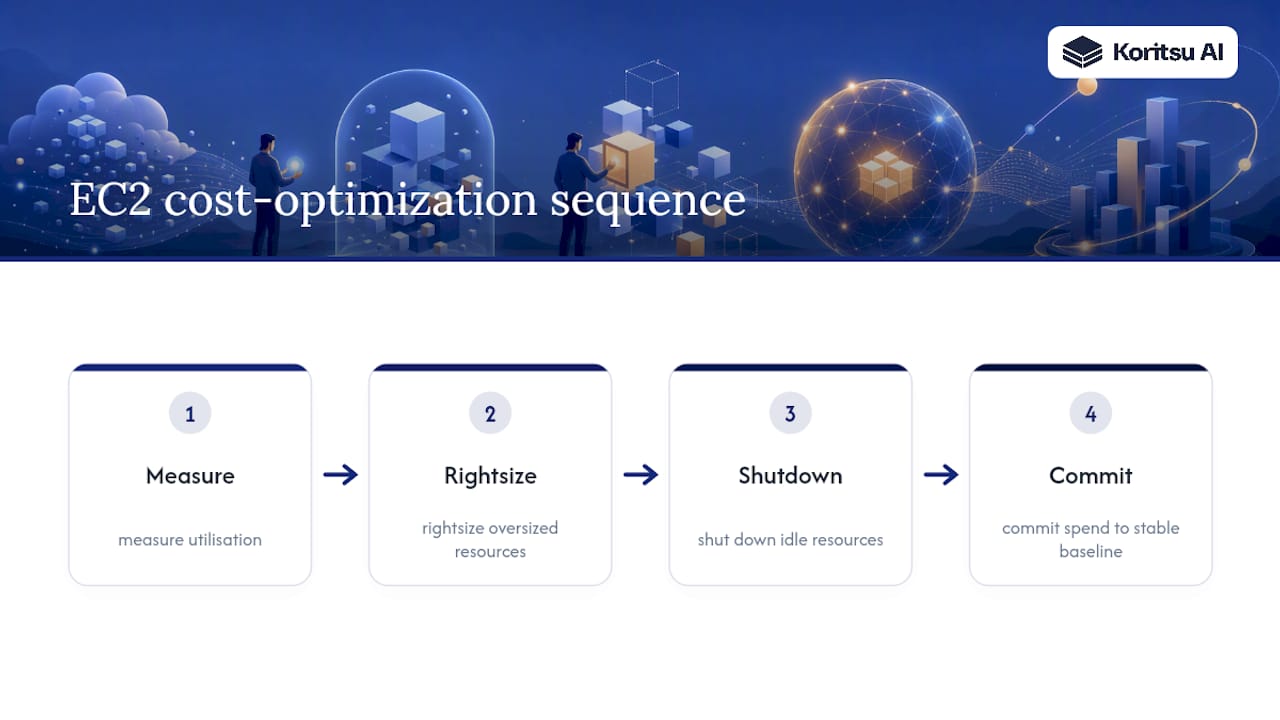
The mistake we see most often is teams reaching for Savings Plans or Reserved Instances before they’ve fixed sizing. That locks in a discount on infrastructure you don’t need. The correct order is: measure utilisation, rightsize what’s oversized, shut down what’s idle, and only then commit spend to the stable baseline that remains. Everything in this article follows that sequence.
Quick wins: rightsizing, idle shutdowns and ephemeral environments
Rightsizing is the highest-return move available, typically saving 20 to 40% on the resources you adjust. The catch is measurement. A single CPU snapshot from a Tuesday afternoon tells you almost nothing. AWS Compute Optimizer solves this by analysing utilisation across 14, 32, or 93 day lookback windows and ranking recommendations by estimated savings and performance risk. Enable memory metrics through the CloudWatch agent, because CPU alone misses memory-bound workloads that look fine on paper and choke under load.
Here’s a practical sequence for the first fortnight:
- Turn on Compute Optimizer and let it run the full 93 day window where history allows.
- Enable Cost Optimization Hub so recommendations account for commitments you already hold, giving you realistic savings estimates rather than inflated on-demand comparisons.
- Sort recommendations by estimated dollar savings, then filter out anything flagged as high risk for a manual review.
- Fix the top 20% of findings first. That’s usually where most of the savings sit.
- Shut down non-production environments outside working hours, and move staging and QA onto ephemeral, CI/CD-triggered infrastructure that spins up on demand and tears down after.
Ephemeral environments alone commonly cut staging spend by 30 to 50% compared with leaving test infrastructure running around the clock. Wire the shutdown logic into your pipeline rather than relying on someone remembering to turn things off on a Friday.
Pro Tip: Don’t act on a single Compute Optimizer recommendation in isolation. Cross-check it against your actual traffic patterns for at least one full business cycle, including month-end batch jobs or reporting spikes that a short lookback window might miss.
Pricing and purchasing models: on-demand, savings plans, reservations and spot
Each purchasing model solves a different problem, and confusing them is where most AWS billing mistakes happen.
- On-demand costs the most per hour but carries zero commitment. Use it for anything unpredictable or newly deployed.
- Savings Plans and Reserved Instances typically cut costs by 30 to 72% against on-demand pricing, depending on term length and payment structure. These only pay off against a stable, well-measured baseline.
- Spot Instances offer the deepest discounts, sometimes over 70%, in exchange for the risk of interruption. They suit stateless, fault-tolerant, or batch workloads.
The sequencing rule matters more than the discount percentages. Commit only to the portion of usage you’re confident will persist, and cover the variable remainder with on-demand or spot. Buying a three-year Reserved Instance against a fleet you haven’t rightsized just fossilises the waste.
Shorter, no-upfront terms give flexibility while you’re still learning your usage pattern; longer, all-upfront terms suit workloads you’re certain will run for years. For spot, diversify instance types and availability zones within your fleet, and always pair spot capacity with a fallback launch template so an interruption doesn’t take down a service.
Scaling tactics: autoscaling, policies and containerised workloads
Autoscaling turns cost into a function of demand rather than a fixed monthly bill. Its impact varies enormously by workload shape. Steady traffic might see 10% savings, while genuinely spiky workloads, think retail flash sales or batch processing windows, can see 50% or more.
Three policy types cover most use cases:
- Target-tracking policies hold a metric like CPU utilisation at a set target, adding or removing capacity automatically. This is the right default for most web and API tiers.
- Step scaling reacts in defined increments to threshold breaches, useful when demand jumps in bursts rather than climbing smoothly.
- Scheduled scaling pre-empts known patterns, such as scaling down before overnight lulls or up before a weekly batch run.
For Kubernetes on EC2, Karpenter tends to outperform the traditional Cluster Autoscaler because it provisions nodes matched to actual pod requirements rather than fixed instance groups, reducing bin-packing waste.
Aggressive scale-down settings save more money but raise outage risk if traffic rebounds faster than new capacity can launch. FinOps practitioner guidance recommends conservative cooldown periods as a safe default, then tightening gradually as you validate behavior under real load, not synthetic tests.
Do newer instance families really cut costs, or is Graviton overhyped?
Graviton delivers a genuine price-performance uplift for most general-purpose and web workloads, and it’s rarely overhyped when the workload is compatible. The catch is that “compatible” needs proper testing, not assumption.
Before migrating, work through this checklist:
- Confirm all binaries and dependencies have ARM64 builds, particularly for compiled languages and native extensions.
- Run performance benchmarks side by side on x86 and Graviton under representative load, not a quick smoke test.
- Validate container images build correctly for ARM64 in your CI pipeline before touching production.
- Budget a testing window of one to two sprints for anything beyond a simple stateless service.
Beyond Graviton, Flex instances suit workloads with moderate, unpredictable baseline usage, and accelerator instances make sense specifically for GPU-bound work like machine learning training or LLM inference costs, where the compute profile is completely different from general-purpose traffic.
Pro Tip: Migrate one non-critical service to Graviton first and run it in production for two weeks before touching anything customer-facing. The savings are real, but the migration effort is rarely zero.
Measure and govern: tagging, visibility and anomaly detection
You cannot optimise what you cannot attribute. Tagging and cost allocation are the prerequisite for every tactic above, because without them, nobody owns the bill and nobody feels the pressure to fix it.
- Enforce mandatory tags (team, service, environment, cost centre) at resource creation using policy as code, not a wiki page nobody reads.
- Track cost per service alongside commit coverage percentage, so you know both what you’re spending and how much of it is discounted.
- Set an anomaly detection cadence, daily for production, weekly for everything else, and route alerts to the team that owns the resource, not a central finance inbox.
- Report realised savings against forecast monthly, so commitments and rightsizing decisions get checked against reality rather than left on autopilot.
- Push costs back to engineering through showback or chargeback, tying spend to the team that generated it rather than absorbing it centrally.
Building this visibility layer once, rather than reconstructing it every quarter, is covered in more depth in our guide to building an internal cloud cost dashboard.
How do you actually run an optimisation programme?
Most successful programmes follow four phases, and quick wins should show measurable savings within 30 to 60 days if the sequencing is right.
- Assess: enable Compute Optimizer, tag everything, and establish a cost baseline. Two weeks.
- Quick wins: rightsize, shut down idle resources, move to ephemeral environments. Two to four weeks.
- Automate: implement autoscaling policies and buy commitments against the now-stable baseline. Four to six weeks.
- Govern: enforce tagging policy, set KPIs, and build recurring anomaly review. Ongoing.
Involve engineering leads for technical validation, a FinOps or finance owner for commitment sign-off, and a named executive sponsor to stop the programme stalling after the first win. The most common pitfall is committing to Savings Plans before rightsizing finishes, which locks in waste for a year or more. The second is treating this as a one-off project rather than an owned, recurring practice.
Pro Tip: Report savings as realised, not projected, dollars against the actual invoice. Forecasted savings that never show up on the bill erode trust in the whole programme fast.
How Koritsu applies these tactics
An AI platform continuously analyses your billing and usage data, with hands-on FinOps specialists who execute the fixes it surfaces. The AI platform flags oversized instances and traces spend back to the architectural decisions causing it, with support available to help implement the changes.
- Continuous monitoring rather than a one-off audit
- Root cause analysis tied to specific services and teams
- Execution support, not just a report you have to action yourself
- A documented 52% cloud cost reduction for a UK bidding platform
Charges are typically based on realised, verified savings for the initial engagement rather than a flat consulting fee.

Optimise storage costs with the right EBS type and lifecycle policy
Storage is where teams quietly overpay for years without noticing. General Purpose SSD (gp3) now decouples IOPS and throughput from volume size, meaning you no longer need to overprovision capacity just to get performance. Most workloads migrating from gp2 to gp3 see an immediate cost reduction with no performance loss, because gp3 charges separately for the performance tier instead of bundling it into a larger, more expensive volume.

For workloads with predictable, sequential access, like log processing or big data pipelines, Throughput Optimized HDD (st1) costs a fraction of SSD pricing. Cold, rarely accessed data belongs on Cold HDD (sc1), the cheapest EBS tier available.
Snapshots deserve equal attention. Unmanaged snapshot accumulation is one of the most common silent cost leaks in any AWS account. Set lifecycle policies through Amazon Data Lifecycle Manager to automatically expire snapshots past a defined retention window, rather than relying on manual cleanup that inevitably falls behind. Pair this with regular audits of unattached volumes, EBS volumes left behind after an instance termination, which cost money while doing absolutely nothing.
Should you stop or hibernate idle EC2 instances?
Stopping instances outside business hours is one of the simplest savings levers available, and it’s underused. A stopped instance incurs no compute charge, only storage cost for its attached EBS volumes, making scheduled stop and start a strong default for development, staging, and any predictable non-production workload.
Hibernate goes a step further for workloads that need to resume exactly where they left off. Instead of a cold boot, Hibernate preserves the in-memory state to the root EBS volume and restores it on start, which matters for services with long application warm-up times or in-memory caches that are expensive to rebuild. The trade-off is a small amount of additional EBS storage to hold the saved memory state, a cost that’s almost always trivial next to the compute charges avoided by not running the instance overnight or over a weekend.
Automate this with Instance Scheduler or a simple Lambda function triggered on a cron schedule, rather than expecting anyone to remember manually. Tag instances explicitly as eligible for scheduled shutdown so the automation only touches resources that are genuinely safe to stop, and exclude anything stateful without proper hibernate testing first.
Cut networking costs with PrivateLink and smarter data transfer
Data transfer charges are one of the least visible line items on an AWS bill, and they add up fast in multi-service architectures. Traffic between EC2 instances and other AWS services routed over the public internet incurs charges that routing privately avoids entirely.
AWS PrivateLink lets you connect to supported services and third-party endpoints privately, without traversing the public internet or requiring a NAT gateway, which itself carries a per-gigabyte processing charge that scales painfully with volume. For any service communicating heavily with S3, review whether an S3 Gateway Endpoint would remove that traffic from your NAT gateway entirely. S3 cost optimization and EC2 networking costs are more connected than most teams realise, because a badly routed request pattern inflates both bills simultaneously.
Keep chatty services within the same availability zone where latency allows, since cross-AZ transfer carries its own charge that’s easy to overlook until the bill arrives. Route architecture reviews should include a data transfer cost map alongside the usual latency diagram, because the cheapest path and the fastest path aren’t always the same one.
What actually moves the needle, in Kori’s view
Automate rightsizing and shutdowns first. Prioritise the baseline commitment decision. Defer aggressive spot adoption until your team trusts the automation. Cost cutting shrinks a number; optimisation protects what the spend is actually buying.
Get a free assessment before you commit to anything
Everything above works. It also takes engineering time most teams don’t have spare, which is usually why the rightsizing backlog sits untouched for months even when everyone agrees it needs doing. Koritsu AI runs the assessment for you: Kori analyses your actual billing and usage data, our specialists trace the findings back to the architecture causing them, and you get a report with real, verified numbers rather than a generic checklist.
The first engagement often starts with a free assessment, with charges based on a share of the savings actually delivered, verified against billing. There is often an option to move onto an ongoing subscription for continuous monitoring rather than repeating the exercise periodically. Read how a UK bidding platform cut cloud costs by 52%, then get in touch through our FinOps consulting page to start your own assessment.
Sources
- Optimize EC2 costs with AWS Compute Optimizer right sizing | AWS Compute Blog
- Cloud Cost Optimization Strategies: The Complete 2026 Guide
- Cost Optimization for AWS EC2 Autoscaling