FinOps Inform
How to right-size cloud resources: a practical guide
Unlock savings and boost performance with our right-size cloud resources guide. Start your observation period today for maximum ROI!

Start rightsizing today by running a 14-day observation period across your top cost drivers, ranking recommendations by estimated savings and confidence score, then validating every proposed change with the application owner before touching production. Teams that follow this sequence typically reclaim meaningful monthly spend while simultaneously catching under-provisioned workloads that were quietly degrading customer experience.
Three actions you can begin within 24–72 hours:
- Enable memory metrics in CloudWatch (or the equivalent in Azure Monitor or Google Cloud Monitoring) — without them, every recommendation is incomplete.
- Pull a ranked list of rightsizing recommendations from your native cloud recommender (AWS Compute Optimizer, Azure Advisor, or Google Cloud Recommender) and sort by estimated savings with a low-performance-risk filter applied.
- Book a 30-minute slot with each application owner for your top five targets before any change is scheduled.
Success looks like a measurable reduction in monthly run-rate spend within one billing cycle, zero SLO breaches attributable to the changes, and a documented rollback plan that was never needed.
What does rightsizing actually mean for cloud infrastructure?
Rightsizing is the process of matching resource allocation to observed workload demand. Not simply downsizing. That distinction matters in practice: a rightsizing exercise should produce both reductions for over-provisioned resources and increases for workloads that are quietly starved of CPU or memory.
IBM's definition of cloud optimisation frames it clearly: aligning instance type and size to actual workload requirements, with automation and auto-scaling as the mechanisms that keep that alignment continuous rather than a one-off event.
Rightsizing is not a cost-cutting exercise. It is a continuous process of aligning what you pay for with what your workloads actually need — and that means scaling up as readily as scaling down.
The scope of rightsizing covers more resource types than most teams initially address:
- VMs and instances (EC2, Azure VMs, Compute Engine)
- Containers and pods (Kubernetes requests and limits)
- Managed databases (RDS, Aurora, Cloud SQL, Azure SQL)
- Block and object storage (EBS volumes, S3 storage classes, Azure Blob tiers)
- Serverless functions (Lambda memory allocation, Azure Functions consumption plans)
- Networking egress where persistent over-allocation drives measurable cost
A short glossary for the terms used throughout this guide:
- Over-provisioned: allocated resources consistently exceed what the workload consumes.
- Under-provisioned: the workload regularly exhausts allocated resources, causing throttling or latency.
- Idle: a resource is running but consuming negligible workload traffic; a candidate for termination, not resizing. See the guide to types of idle cloud resources for a full taxonomy.
- Headroom: the intentional buffer above peak observed utilisation that you retain to absorb spikes.
- Lookback period: the historical window of metric data used to generate a recommendation.
Why rightsizing deserves engineering time right now
Cloud cost is not a technology problem. It is a process problem. Most organisations provision generously during initial build or lift-and-shift migrations, then never revisit those choices as workload patterns stabilise. The result is persistent, structural waste.
Statista's data on wasted versus efficient cloud spend tracks the proportion of public cloud spend that delivers no productive workload value. This is consistently significant across industries and reflects a systemic pattern rather than isolated mistakes.
The principal benefits of a disciplined rightsizing programme are direct:
- Immediate reduction in monthly compute and storage costs without architectural changes.
- Reduced attack surface from idle or forgotten resources that carry security exposure.
- Better capacity planning, because observed utilisation data replaces guesswork in future provisioning decisions.
The trade-offs are real and worth naming. Reducing an instance size carries performance risk if the lookback period missed a burst pattern. Engineering time spent on validation and testing is not free. Some changes, particularly those involving CPU architecture shifts (for example, moving from x86 to AWS Graviton), require application testing that can take days. And for teams running UK-regulated workloads, any infrastructure change touching data residency or latency SLAs needs sign-off from the relevant compliance owner before it reaches production.
Pro Tip: Rightsizing surfaces under-provisioned resources as reliably as it surfaces waste. If your Kubernetes pods are regularly hitting CPU throttle or your RDS instances show sustained memory pressure, a rightsizing pass will catch those too — and fixing them prevents customer-facing regressions that are far more expensive than the compute cost.
For a broader view of where cloud costs accumulate, the guide to reducing cloud infrastructure costs covers the full picture beyond instance sizing.
Which metrics do you need, and how long should you observe?
Reliable rightsizing recommendations depend on the right metrics collected over a sufficient window. Thin or incomplete data produces recommendations that look plausible but carry hidden performance risk.
Metrics by resource type
| Resource type | Primary metrics | Additional metrics |
|---|---|---|
| VMs / instances | CPU utilisation (avg, p95, max) | Memory (must enable), disk IOPS, network throughput |
| Containers / pods | CPU request vs usage, memory request vs usage | Container restart count, throttle rate |
| Managed databases | CPU, memory, IOPS, connections | Replication lag, query latency |
| Serverless functions | Duration, memory used vs allocated | Cold start rate, error rate |
| Storage (block) | IOPS consumed vs provisioned | Throughput, latency percentiles |
Memory is not collected by default in CloudWatch. Enabling it materially improves recommendation confidence, particularly for database and JVM workloads where memory is the binding constraint, not CPU.
Lookback period guidance
The default lookback period in AWS Compute Optimizer is 14 days, which captures weekly traffic patterns and is sufficient for stable, predictable workloads. Extend to 32 days when you suspect monthly billing cycles or end-of-month batch jobs affect utilisation. Extend to 93 days for workloads with quarterly seasonality, promotional peaks, or financial reporting cycles — though the 93-day option requires Enhanced Infrastructure Metrics (EIM), which carries an additional CloudWatch cost.
For Kubernetes, Prometheus scrape intervals of 15–30 seconds with 30-day retention give you enough resolution to distinguish sustained over-provisioning from legitimate burst headroom.
Metric readiness checklist before generating recommendations:
- Memory metrics enabled and flowing for all target instances.
- At least 14 days of clean data (no load tests or anomalous events skewing the window). Check the guide on load testing and cloud cost impact before running tests during an observation period.
- Pod-level CPU and memory metrics visible in Prometheus or the native monitoring stack.
- Container restart counts and throttle rates collected for Kubernetes workloads.
- Storage IOPS and throughput data available for block volumes.
Which tools should you use for rightsizing and automation?
Native cloud recommenders, observability stacks, and Kubernetes-native autoscalers each play a distinct role. The most effective setups combine all three rather than relying on any single tool.
Native cloud recommenders
AWS Compute Optimizer analyses up to 93 days of CloudWatch metrics and classifies resources as over-provisioned, under-provisioned, optimised, or idle. Recommendations include estimated savings, performance risk classification, and alternative instance types. It covers EC2, Auto Scaling groups, EBS volumes, Lambda functions, ECS on Fargate, and RDS. Enabling memory metrics via CloudWatch agent significantly increases recommendation accuracy.
Azure Advisor surfaces rightsizing recommendations for VMs, App Service plans, and SQL databases. It integrates with Azure Cost Management and provides a confidence score alongside estimated monthly savings. Recommendations are refreshed every 24 hours and can be exported to CSV or consumed via the Azure Resource Graph API for automation pipelines.
Google Cloud Recommender provides instance rightsizing recommendations for Compute Engine VMs, with estimated savings and performance impact. It also covers Cloud SQL, GKE node pools, and persistent disks. Recommendations are accessible via the console, gcloud CLI, or the Recommender API, making them straightforward to pull into a CI/CD pipeline.
Observability stack
Prometheus collects time-series metrics at the pod and node level in Kubernetes environments. Combined with kube-state-metrics and the Kubernetes metrics server, it gives you the raw data needed to calculate actual versus requested resource usage across every workload.
Grafana turns that data into dashboards that make over-provisioning visible. A well-configured Grafana dashboard showing CPU request versus actual usage across namespaces will surface rightsizing candidates in minutes. The benefits of cloud observability for cost management are substantial when the stack is properly instrumented.
Kubernetes autoscalers
The Kubernetes Vertical Pod Autoscaler (VPA) adjusts pod CPU and memory requests based on observed usage. It operates in three modes: Off (recommendations only), Initial (applies on pod creation), and Auto (live updates with pod restarts). VPA is the primary tool for rightsizing individual workloads.
The Kubernetes Horizontal Pod Autoscaler (HPA) scales the number of pod replicas based on CPU, memory, or custom metrics. HPA and VPA can conflict when both target the same resource dimension — the standard pattern is to use HPA for scaling replicas on CPU/custom metrics and VPA for memory requests.
Karpenter handles node provisioning and consolidation. It selects the most cost-efficient instance type for the current pod scheduling demand and consolidates underutilised nodes by rescheduling pods and terminating the empty node. This is bin-packing at the infrastructure layer, complementing VPA's pod-level work.
Tool scope matrix
| Tool | Savings potential | Automation level | Data requirements | Scope |
|---|---|---|---|---|
| AWS Compute Optimizer | High (EC2, EBS, Lambda, RDS) | Manual to automated apply via SSM | CloudWatch metrics; memory requires agent | Instances, storage, functions, containers |
| Azure Advisor | Medium–High | Manual; API for pipeline integration | Azure Monitor metrics | VMs, databases, App Service |
| Google Cloud Recommender | Medium–High | Manual; Recommender API | Cloud Monitoring metrics | VMs, SQL, GKE nodes, disks |
| Prometheus + Grafana | High (Kubernetes) | Manual (dashboard-driven) | Scrape config; 15–30s interval | Pods, nodes, containers |
| Kubernetes VPA | Medium | Automated (Auto mode) | Metrics server; 8-day history minimum | Pod requests/limits |
| Kubernetes HPA | Medium | Automated | Metrics server or custom metrics | Pod replica count |
| Karpenter | High (node cost) | Automated | Kubernetes scheduler data | Node provisioning and consolidation |
Algorithmic and ML-driven approaches to resource optimisation are an active research area, but for most production environments the combination of native recommenders and Kubernetes autoscalers delivers the majority of available savings with lower operational risk than custom ML pipelines.
A repeatable rightsizing workflow you can run this quarter
AWS Cost Management's rightsizing guidance frames rightsizing as an ongoing process, not a one-time project. The workflow below is designed to be repeatable on a monthly cadence.
- Enrich — Pull recommendations from your native recommender. Append cost allocation tags (team, service, environment) so every recommendation is attributable. Owner: FinOps or platform engineering.
Decision criteria for acceptance: proceed when estimated savings exceed your minimum threshold (typically £50/month per resource) and the performance risk classification is low or medium with owner sign-off. Pause and extend the lookback when the owner flags a seasonal event within the next 30 days.
Pro Tip: Capture every applied change in your IaC repository with a comment referencing the rightsizing sprint date and the recommender's estimated saving. This makes rollback a single git revert and gives finance a clean audit trail for realised savings reporting.
For ambiguous cases where CPU looks low but memory is near capacity, treat the resource as correctly sized until memory metrics confirm headroom. Never downsize on CPU alone.
How rightsizing works differently in Kubernetes
Kubernetes rightsizing has mechanics that do not exist in the VM world, and getting them wrong is expensive in both directions.
Requests, limits, and the scheduler
A pod's request is what the Kubernetes scheduler uses to place the pod on a node. A pod's limit is the ceiling the container runtime enforces. Over-stating requests wastes node capacity and prevents bin-packing. Under-stating limits causes OOMKill events that restart containers and degrade availability.
The practical rule: set requests at the p95 of observed usage over 14–30 days, and set limits at 1.5–2× the request for CPU (where throttling is preferable to OOMKill) and at the p99.9 for memory (where OOMKill is the failure mode).
Setting CPU limits too tightly is one of the most common causes of unexplained application latency in Kubernetes. CPU throttling is invisible in most default dashboards — you need to query the
container_cpu_cfs_throttled_seconds_totalmetric in Prometheus to see it.
VPA versus HPA
Use VPA when the workload's resource consumption per replica is the variable (a batch job that uses more memory as data volume grows). Use HPA when the number of replicas is the variable (a web service that needs more instances under traffic load). Running both on the same resource dimension — for example, both targeting CPU — creates a feedback loop where VPA raises requests, HPA sees lower utilisation per pod and scales down replicas, and the cycle repeats.
Multi-container pods require per-container VPA configuration. Init containers are excluded from VPA recommendations by default; size them separately based on observed init duration and resource consumption.
JVM workloads need special handling. The JVM heap is configured at startup and does not respond to VPA's live adjustments in Auto mode. Set heap size explicitly via environment variables and treat the pod's memory request as fixed until a deliberate JVM tuning exercise is run.
Karpenter for node consolidation
Karpenter replaces the Cluster Autoscaler for node provisioning on AWS. It selects instance types dynamically based on the pending pod's resource requests, which means rightsizing pod requests directly reduces the instance size Karpenter selects. Consolidation mode terminates underutilised nodes by rescheduling their pods, typically achieving 20–40% node count reduction in clusters with heterogeneous workloads. Configure disruption budgets to prevent consolidation from evicting too many pods simultaneously.

Pro Tip: Before enabling Karpenter consolidation in production, audit your PodDisruptionBudgets. A misconfigured PDB that sets minAvailable: 100% will block all consolidation evictions silently.
When rightsizing should be complemented by deeper architectural changes, the guide on application refactoring for cloud savings covers when resizing alone is not enough.
FinOps governance and best practices for continuous rightsizing
Rightsizing done once is a project. Rightsizing done continuously is a capability. The difference is governance.
Tagging and policy minimums
Every resource subject to rightsizing must carry at minimum four tags: team, service, environment, and cost-centre. Without these, you cannot attribute savings to the right owner or enforce exceptions. Make tagging a deployment gate in your CI/CD pipeline — untagged resources should fail the policy check before they reach production.
Thresholds and exception process
Define an automatic-apply threshold: recommendations below a defined savings floor (for example, £20/month) and classified as low risk by the recommender can be applied automatically via a scheduled IaC pipeline run. Recommendations above the threshold or carrying medium/high risk require owner validation and a staging test. Document the exception process for resources that cannot be resized (for example, a production database during a regulatory freeze period).
FinOps cadence
| Stage | Frequency | Owner | Artefact |
|---|---|---|---|
| Automated scan | Weekly | Platform engineering | Ranked recommendations report |
| Owner validation | Monthly | Application team leads | Signed-off change list |
| Staging and apply | Monthly | Platform engineering | IaC PR with sprint tag |
| Savings measurement | Monthly | FinOps lead | Realised vs estimated savings report |
| Deep review | Quarterly | CTO / IT director + FinOps | Governance report, updated thresholds |
The FinOps Foundation's certified platform framework provides the governance structure and role definitions that make this cadence sustainable across teams. Aligning your rightsizing programme to FinOps principles also makes it easier to present savings data to finance in a format they can reconcile against billing.
Pro Tip: Publish a monthly one-page savings report to a shared Slack channel or Confluence page. Visibility creates accountability. Teams that can see their own rightsizing savings tend to engage with the validation process far more readily than those who receive only a ticket in a queue.
For guidance on unit economics and how to attribute savings at the service level, the guide on cloud cost unit metrics for FinOps teams covers the attribution model in detail.
Rightsizing sprint checklist and decision table
Pre-flight checklist
- Memory metrics enabled for all target instances.
- Minimum 14-day clean observation window confirmed (no load tests, no anomalous events).
- Cost allocation tags present on all target resources.
- Application owner contacts identified for top 10 targets.
- Staging environment available and representative load test script ready.
- IaC repository up to date and change reviewed by a second engineer.
- Monitoring alerts configured for p95 latency and error rate on target services.
Decision table
| Scenario | Recommended action | Rollback trigger |
|---|---|---|
| Low risk, high savings, owner validated | Apply in next sprint | p95 latency +20% or error rate above SLO within 72h |
| Medium risk, high savings, owner validated | Apply after staging test | Any SLO breach within 7 days |
| High risk, any savings | Extend lookback to 93 days; re-evaluate | N/A — do not apply until risk is reclassified |
| Low savings (below threshold) | Defer; batch with next quarterly review | N/A |
| Owner flags seasonal event within 30 days | Defer until after the event | N/A |
| Resource idle (near-zero utilisation) | Terminate, not resize | Confirm no dependency before termination |
Capture every applied change as an IaC commit with the sprint date, recommender tool used, estimated saving, and owner sign-off reference. This gives you a clean audit trail and makes rollback a single revert command. For teams looking to automate the cleanup of idle resources alongside rightsizing, the guide on eliminating cloud waste automatically covers the automation patterns in detail.
How Koritsu AI executes rightsizing: what a UK engagement looks like
Koritsu AI's approach maps directly onto the workflow above, with two additions that most internal teams cannot replicate alone: continuous AI-driven monitoring and hands-on execution support.
Kori, Koritsu's AI agent, analyses your cloud billing and metric data continuously, surfaces rightsizing opportunities ranked by savings and confidence, and flags anomalies before they compound. The platform covers AWS, Azure, and GCP simultaneously, which matters for UK organisations running multi-cloud architectures across regions with different pricing (for example, eu-west-2 versus us-east-1 pricing differentials affect the absolute saving from a given instance type change).
The engagement model is straightforward. A pilot starts with a free assessment: Koritsu connects to your billing and metrics data, runs the observation and prioritisation steps, and produces a ranked savings report with confidence scores. You pay nothing until savings are realised and verified against your billing data. From there, teams can move to an ongoing FinOps-as-a-service subscription that includes continuous monitoring, monthly validation sessions, and hands-on execution support for changes above your team's risk threshold.
A UK bidding platform engaged Koritsu AI and achieved a 52% reduction in cloud costs — a result driven by rightsizing combined with architectural root cause analysis rather than by discounts or reserved instance purchases alone.
For UK-regulated workloads, Koritsu's specialists understand the data residency and compliance constraints that affect which changes can be applied and when. That context is built into the validation step, not bolted on afterwards.
Pro Tip: Ask any rightsizing provider — internal team or external — to show you the estimated versus realised savings delta from their last three engagements. That single number tells you more about their process quality than any methodology deck.
Key takeaways
Rightsizing cloud resources requires a data-led observation period, prioritisation by savings and confidence, owner validation, and a measured rollout with a documented rollback plan — repeated monthly to sustain savings as workloads evolve.
| Point | Details |
|---|---|
| Enable memory metrics first | Without memory data, recommendations are incomplete and carry hidden performance risk. |
| Use a 14-day default lookback | Extend to 32 or 93 days for seasonal or batch workloads before accepting any recommendation. |
| Validate with application owners | Owners know about scheduled jobs and peaks that metric data alone will not capture. |
| Measure realised vs estimated savings | Track the delta monthly; a gap above 20% signals a data quality or process problem. |
| Koritsu AI for hands-on support | Koritsu AI combines continuous AI monitoring with expert execution under a success-fee model for UK teams. |
The real blocker is not the tooling
The tools for rightsizing are mature, well-documented, and largely free to use. AWS Compute Optimizer, Azure Advisor, Google Cloud Recommender, Prometheus, Grafana — none of them require a procurement cycle. So why do most organisations still carry significant cloud waste month after month?
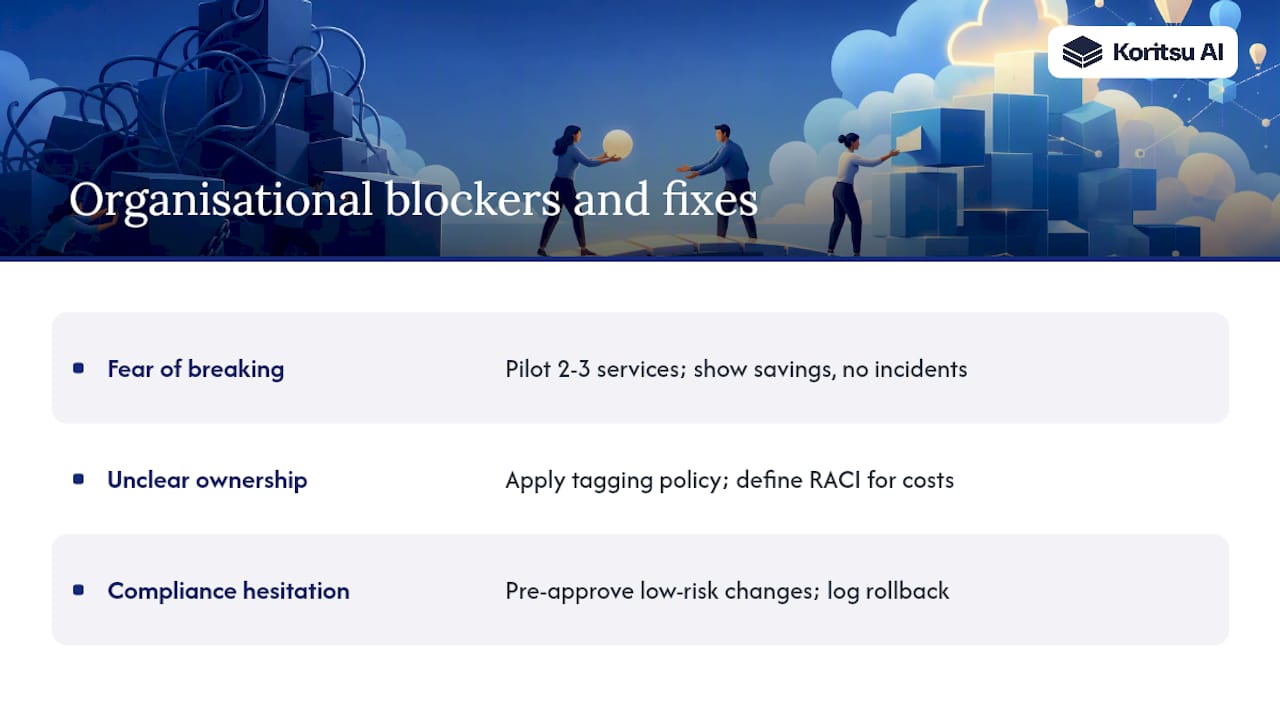
The blockers are organisational, not technical. Fear of breaking production is the most common one. Engineers who have been paged at 2 AM because a deployment went wrong are rationally cautious about changing instance sizes on workloads they did not build. That caution is not irrational — it is a signal that the validation and rollback process is not trusted yet.
The fix is not to mandate changes from the top. It is to run a low-risk pilot on two or three non-critical services, measure the outcome rigorously, and present the results to both engineering and finance with confidence scores attached. A single successful sprint with a documented £X monthly saving and zero incidents does more to build internal momentum than any FinOps framework presentation.
Unclear ownership is the second blocker. When no one is certain who owns a given service's cloud costs, no one validates the recommendation and no one applies the change. Tagging policy and a clear RACI for rightsizing decisions solve this structurally. If your organisation is grappling with how to align engineering incentives with cost outcomes, the piece on AI token budgets and engineering compensation offers a useful framing for how cost accountability is evolving in engineering teams.
For UK teams, there is sometimes a compliance hesitation: "Can we change this without a change advisory board review?" The answer depends on your CAB scope, but most rightsizing changes to non-production environments and low-risk production changes can be pre-approved as a class of change if you document the rollback criteria and monitoring window. Bring your CAB chair into the governance design early rather than treating compliance as a blocker to work around.
The cloud cost problem is fixable. The process just needs to be built deliberately.
Koritsu AI's rightsizing pilot for UK engineering teams
Most UK teams already have the tools. What they lack is the time, the process discipline, and the confidence to act on recommendations without risking production stability. That is exactly the gap Koritsu AI fills.

Koritsu AI runs a free cloud cost assessment for UK organisations on AWS, Azure, or GCP. Kori analyses your billing and metric data, produces a ranked rightsizing report with savings estimates and confidence scores, and Koritsu's specialists walk your team through the top opportunities in a working session. You pay nothing upfront. Koritsu charges a share of the savings actually realised, verified against your billing data. For teams that want ongoing support, a FinOps-as-a-service subscription covers continuous monitoring, monthly validation sessions, and hands-on execution.
The 52% cost reduction achieved by a UK bidding platform is a concrete example of what a structured rightsizing engagement delivers. All data is processed within UK and EU infrastructure, and Koritsu's specialists are familiar with the compliance and data residency requirements that UK-regulated workloads carry.
Request your free assessment at koritsu.ai to see where your cloud spend is going and what a realistic savings target looks like for your environment.
Useful sources
The following references were used in preparing this guide. Each is worth reading directly for the depth it provides on its specific topic.
- Rightsizing preferences — AWS Compute Optimizer user guide: the definitive reference for configuring lookback periods (14, 32, and 93 days) and understanding how preferences affect recommendation output.
- Optimize EC2 costs with AWS Compute Optimizer right-sizing — AWS Compute Blog: practical walkthrough of enabling memory metrics, interpreting recommendation classifications, and acting on savings opportunities.
- Cloud spend: wasted vs efficient spend — Statista: industry-level data quantifying the proportion of cloud spend that delivers no productive workload value.
- A survey of cloud resource consumption optimisation methods — Journal of Grid Computing (Springer) — academic taxonomy of optimisation approaches including ML-driven methods, heuristics, and their limitations — useful for teams evaluating algorithmic alternatives to native recommenders.
- FinOps certified platform — FinOps Foundation: governance framework, role definitions, and certification guidance for organisations embedding FinOps practices into ongoing operations.
- What is cloud optimisation? — IBM: accessible overview of cloud optimisation including rightsizing, automation, and auto-scaling in multicloud and hybrid environments.