FinOps Inform
Cloud Cost Root Cause Analysis: Find Why Spend Rises
Cloud cost root cause analysis for UK engineering leaders: a practical method to trace spend to the architecture decision behind it, and fix it for good.

Cloud cost root cause analysis means tracing a line on your bill back to the engineering decision that created it. It does not mean knowing which service got more expensive. It means knowing which deployment, configuration, query or default setting caused it, who owns it, and what change removes it. Without that, you get a cost report. With it, you get a fix that stays fixed.
This guide sets out the method we use with engineering teams on AWS, Azure and Google Cloud: what data you need, how to triage a spike or a slow drift, the usual causes, and how to stop them returning.
TL;DR:
- Root cause analysis starts at the resource and ends at a code, architecture or process decision. Service-level totals only tell you where to look.
- You need three things: consistent billing data, ownership (allocation), and a way to join cost to deployments and workload behaviour.
- Triage in order: what changed, where, who owns it, why it was built that way, and what the fix is.
- Most recurring waste comes from a small set of causes: over-provisioning, idle resources, data movement, environment sprawl and unreviewed defaults.
- Close the loop. A fix without a guardrail in your pipeline or process will be undone within months.
What cloud cost root cause analysis is, and what it is not
Most teams already have some version of cost visibility. A dashboard shows compute up 18% month on month. That is a symptom. Root cause analysis asks the next four questions:
- Which specific resources, accounts, regions or usage types drove the change?
- Which team, service or feature owns them?
- What decision made them cost this much: a sizing choice, a retry loop, a default, a missing lifecycle policy?
- What change removes the cause rather than the instance?
The distinction matters because cost is not a technology problem, it is a process problem. Deleting one oversized instance saves money once. Changing the way instances are sized, reviewed and deployed saves it every month.
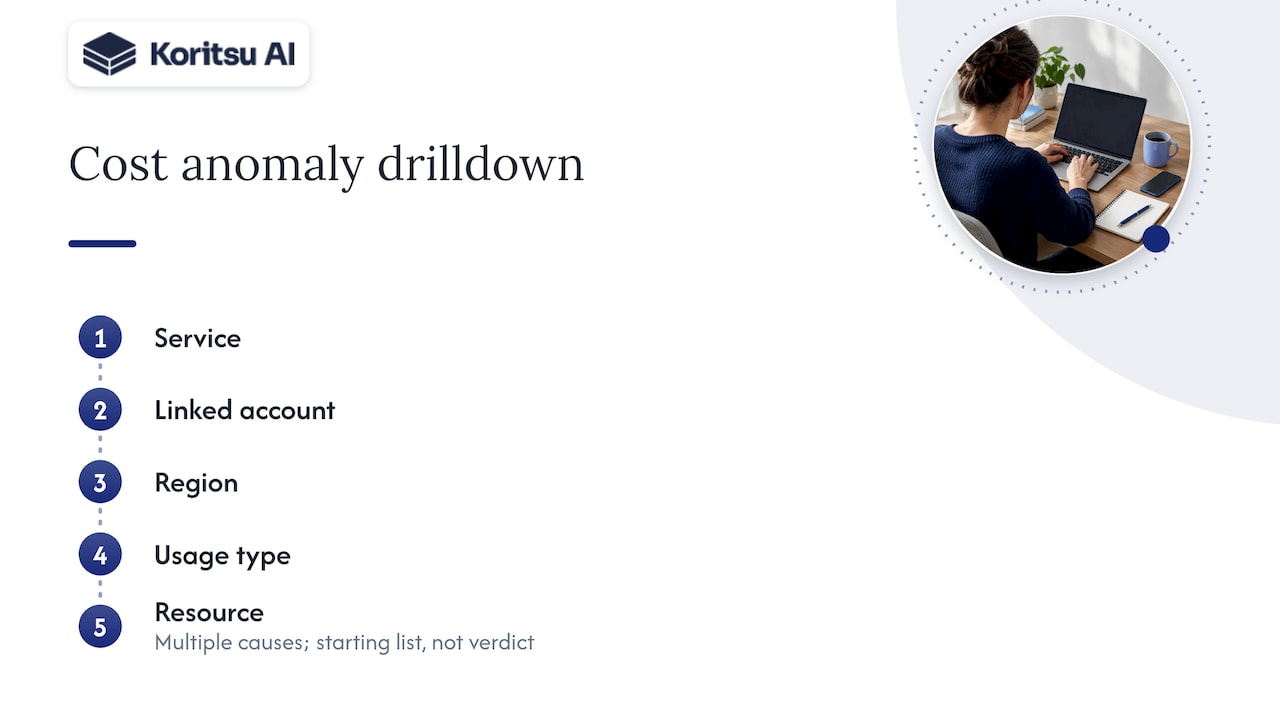
The cloud providers draw the same line in their tooling. AWS defines a root cause in Cost Anomaly Detection as the combination of service, linked account, region and usage type where an anomaly is observed, with the dollar and percentage impact. That is a useful first narrowing. It still stops short of the engineering reason, which lives in your code and infrastructure definitions.
Why dashboards stop short
A dashboard answers “how much”. Engineers need “why” and “what do I change”. Three gaps explain most of the distance.
No ownership. If a cost cannot be assigned to a team, nobody investigates it. FinOps Foundation guidance on allocation describes using hierarchies, tags and labels to assign costs to owners, departments or projects, and notes that tags cannot be applied retroactively. Spend incurred before a tag existed stays unattributed.
No link to change. A cost curve rarely shows the release, the feature flag or the data volume change that bent it. Without that join, every investigation is archaeology.
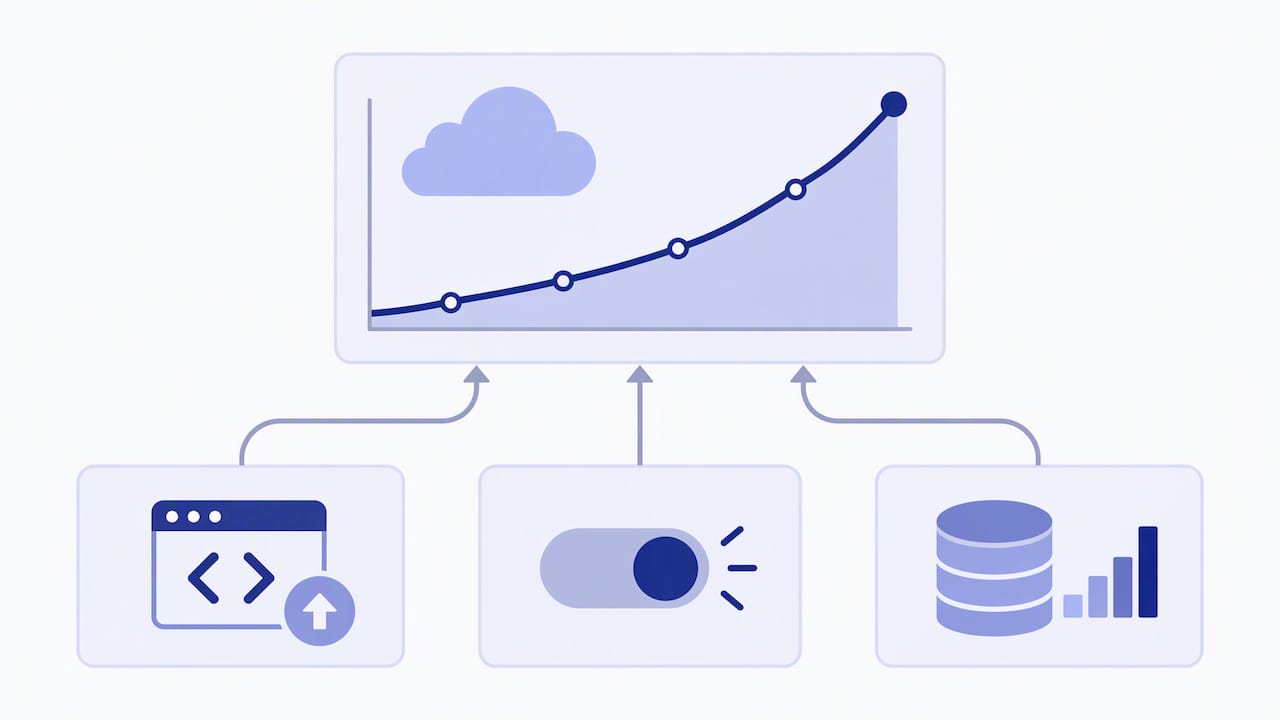
No authority to act. Finance sees the number, engineering owns the cause, and the two seldom share a view. The FinOps Foundation’s anomaly management material argues for moving from manual, reactive firefighting to detection built into engineering workflows, with alerts reaching the responsible owner immediately.
The scale of the problem is not trivial. A UK survey of IT leaders published by a managed services provider reported that more than half could not effectively track their cloud spending, though we would treat any single vendor survey as indicative rather than definitive. Our own experience points the same way: the money is rarely lost in commitments and discounts. It is lost in how the software and infrastructure were built.
The data you need before you start
Root cause work fails more often on data than on analysis. Before an investigation, check that you have:
- Resource-level billing exports from each provider, not only service-level summaries. Account, region, usage type and resource ID are the minimum.
- A common schema across clouds. If you run more than one provider, the FinOps Open Cost and Usage Specification (FOCUS) defines a vendor-neutral set of columns for billing data, which lets you query AWS, Azure and Google Cloud costs the same way. We cover the practical side in our piece on engineering grade cloud cost reporting from canonical exports.
- An allocation model. Required tags or labels such as cost centre and environment, enforced at deploy time. Untagged spend should be a tracked metric, not a shrug.
- Deployment and workload context. Release timestamps, autoscaling events, job runs, request volumes. This is what turns “cost rose on Tuesday” into “cost rose after the Tuesday release”.
- A baseline. Historical patterns that define normal. Google’s documentation describes anomaly detection as flagging spikes or deviations that differ from expected spend when compared to historical patterns.
Microsoft’s guidance on the Understand usage and cost domain frames the same sequence: ingest the data, allocate it, report on it, then monitor proactively. Skip the first two and the last two produce noise.
A five-step triage method
This is the order we work in. It is deliberately boring, because a repeatable order is what lets a team resolve a spike in hours rather than weeks. Our engineers’ write-up on triaging cloud cost root causes in the first hour goes deeper on the tooling.
1. Define what changed
Compare the period in question with a like-for-like baseline: same weekdays, same month-end effects. Separate three shapes, because they have different causes:
- A step change: cost jumps and stays high. Usually a deployment, a new default or a configuration change.
- A spike: cost jumps and falls back. Usually a runaway job, a retry storm or a one-off data transfer.
- A drift: cost creeps up a little each week. Usually data growth without lifecycle rules, or unreviewed scaling headroom.
2. Narrow to the resource
Drill from service to account, region, usage type and then resource. AWS’s enhanced root cause analysis for Cost Anomaly Detection can return multiple root causes for one anomaly, which helps when several accounts or usage types moved together. Treat these outputs as a starting list, not a verdict.
3. Assign an owner
Map the resource to a team, service or feature through tags, labels or account structure. If it cannot be mapped, that is the first finding: an allocation gap. Record it and fix it, because the next anomaly will hit the same gap.
4. Find the decision behind the cost
This is the step dashboards cannot do. Ask the owning engineer what the resource is for and why it is configured that way. Then check against evidence: infrastructure-as-code history, deployment logs, utilisation metrics, query plans, access patterns. Typical answers:
- “We sized it for peak launch traffic and never revisited it.”
- “The job retries on failure with no backoff limit.”
- “Nobody owns that bucket, so nobody set a lifecycle rule.”
- “The dev environment was copied from production.”
5. Choose the fix and the guardrail
Every finding needs two outputs: the fix (rightsize, schedule, delete, refactor, change storage class) and the guardrail that stops recurrence (a policy check in CI, a required tag, a budget alert routed to the owner, a sizing review at design stage). A finding with only the first output is a one-off saving.
Common root causes, and how to confirm each one
The list below is the shortlist we see most often. None is exotic. Each one hides in plain sight because the bill shows the effect, not the cause.
| Symptom on the bill | Likely root cause | How to confirm | Durable fix |
|---|---|---|---|
| Compute high, CPU and memory low | Over-provisioned instances or pods sized for imagined peaks | Compare requested vs used resources over 30 days | Rightsizing as a recurring review, autoscaling limits in code |
| Cost flat at night and weekends | Non-production running 24/7 | Check utilisation and schedules outside working hours | Automated schedules, ephemeral environments |
| Data transfer line growing | Cross-region or cross-zone chatter, public egress, chatty services | Break down by usage type and source/destination | Co-locate services, cache, review architecture |
| Storage creeping up | No lifecycle rules, orphaned snapshots, logs kept forever | Age and access profile of objects and volumes | Lifecycle policies, retention standards |
| Sudden spike on one service | Runaway job, retry loop, misconfigured autoscaler | Align spike timing with job runs and deployments | Retry limits, budget alerts to the owning team |
| Managed database cost climbing | Wrong instance class, over-provisioned IOPS, inefficient queries | Query performance and I/O metrics | Query fixes first, then sizing |
Idle and unattached resources are the most commonly cited category of waste, but they are rarely the largest in a mature estate. The larger sums tend to sit in architecture: how data moves, how workloads scale, how pipelines are scheduled. Some examples from our own engineering notes:
- Weekend cost spikes that can be traced and stopped within hours when you work evidence first.
- Development environments that cost far more than they need to because they mirror production.
- Data pipelines where execution-aware telemetry shows which jobs burn money without producing value.
- Container workloads where a runbook caught a $7,500 problem that a service-level view had hidden.
- Feature flags that quietly change the cost profile of a release.
Worked example: a step change after a release
Here is an illustrative scenario, not a client case. Your monthly bill rises by 12% with no traffic growth.
- Define. Daily data shows a step change on the 9th and a flat line since. A step suggests a change, not growth.
- Narrow. The increase sits in one production account, in one region, under a data transfer usage type. Compute is flat.
- Owner. Tags map the resources to the recommendations service. Good: allocation works here.
- Decision. The release log shows that on the 8th the service moved its cache to a different availability zone arrangement and began reading from a database replica in another region. Each request now crosses a boundary.
- Fix and guardrail. Move the read path back in region and add a cache layer. Add a pre-deployment check that flags new cross-region dependencies, and route the anomaly alert to the owning team’s channel.
The bill told you “data transfer”. The root cause was a design choice, and the guardrail addresses the class of problem, not just this instance.
Making root cause analysis continuous
A one-off investigation finds savings. A continuous process keeps them. The FinOps Foundation’s anomaly management capability describes detecting, identifying, alerting on and managing unexpected cost events in good time to minimise business impact. In practice that means:
- Detection tuned to your patterns. Alert on deviation from your own baseline, per team or service, not a global threshold nobody trusts.
- Alerts to owners, not to a shared inbox. The engineer who can read the code should see the alert first.
- A lessons-learned loop. The Foundation’s guidance recommends a cross-functional review so single spikes drive lasting architectural change. Keep it short: cause, fix, guardrail, owner, date.
- Cost in the delivery pipeline. Our walkthrough on shifting cost left in 90 days shows how teams embed this in DevOps routines, and balancing cost with performance covers how to do it without risking reliability.
- Unit economics. Once allocation is solid, track cost per customer or per transaction. A rising total can be healthy growth. A rising unit cost is a root cause waiting to be found; see cloud cost per customer.
Our perspective
We built Koritsu because we kept seeing the same pattern. A company has dashboards, a reserved capacity plan and a monthly review, and it is still spending more than it needs to. The obvious levers have been pulled. What remains is in the build: how services were sized, how data moves, how environments are created, which defaults nobody questioned.
That is why we do not treat this as a tooling purchase. A dashboard can tell your CTO that spend is up. It cannot sit with the team that owns the service and work out why. So we combine two things: an AI agent, Kori, that continuously analyses spend down to resource level and surfaces where money is being lost, and specialists who help your engineers act on it.
Three convictions shape how we work:
- Savings only count if they show up on the bill. We verify against actual billing, not against a model’s estimate.
- Root causes belong to engineers. Finance can sponsor the effort, but the fix is a pull request, a policy or an architecture change.
- The problem is fixable. Cloud waste feels endless because it is rarely traced to causes. Once it is, it is a finite list.
Where Koritsu fits
If your team has the data but not the time, or the dashboards but not the answers, we can help. We start with a free assessment, and the Savings Opportunity Report sets out where your spend is being lost and what to change. Our success fee model means we take a share of the savings we actually find, so there is no upfront cost for the initial engagement. For continuous monitoring and hands-on support afterwards, FinOps as a Service offers Monitor, Advisor, Embedded and Premium plans. Our platform works across AWS, Azure and Google Cloud.
This is aimed at mid-sized and enterprise UK companies with significant production workloads. If you are a small team looking for generic tips, the method in this article is yours to use as it stands.
A practical checklist for this month
- Export resource-level billing data for every provider and confirm you can query it in one schema.
- Measure untagged or unallocated spend as a percentage of the bill. Set a target and an owner.
- List your last three cost anomalies. For each, can you name the engineering cause and the guardrail? If not, reopen them.
- Pick the biggest non-production spend line and check its out-of-hours utilisation.
- Break down data transfer by usage type and look for cross-region or cross-zone paths that nobody chose deliberately.
- Route anomaly alerts to the owning team and agree a target time to a first diagnosis.
- Add one cost guardrail to your deployment pipeline this quarter.
FAQ
What is the difference between cost anomaly detection and root cause analysis?
Anomaly detection tells you that spend deviated from its expected pattern, and often where in broad terms. Root cause analysis explains why: the resource, the owner and the engineering decision behind it. Provider tools such as those in AWS and Google Cloud handle detection well and give a first narrowing. The deeper work usually needs engineering context.
How long does a root cause investigation take?
It depends on data quality. With resource-level exports, working allocation and release history to hand, a spike can often be traced to a candidate cause within hours. Without ownership data, much of the time goes on working out who owns the resource. Fixing that allocation gap is itself a valuable output.
Do we need a FinOps team to do this?
Not necessarily. What you need is clear ownership, shared data and engineers with time to act. Smaller organisations often start with one engineering lead and a finance partner. Larger estates tend to benefit from a dedicated practice, or from an external team that works alongside engineers.
Can root cause analysis work across AWS, Azure and Google Cloud together?
Yes, if the billing data is normalised. A common schema such as FOCUS lets you apply the same queries and allocation logic to every provider. The causes themselves, such as over-provisioning, idle environments and data movement, appear on all three clouds, though the service names and billing line items differ.
How do we know a fix actually saved money?
Verify against the bill, not against the estimate. Compare the affected usage type or resource group before and after the change, adjusted for traffic or workload volume. That is how we measure savings at Koritsu, and it is a good discipline for any team.
Sources
- AWS: RootCause API reference
- AWS: enhanced root cause analysis in Cost Anomaly Detection
- Google Cloud: view and manage cost anomalies
- FinOps Foundation: Cloud Cost Allocation
- FinOps Foundation: Managing Cloud Cost Anomalies
- FinOps Foundation: Anomaly Management capability
- FinOps Open Cost and Usage Specification (FOCUS)
- Microsoft Learn: Understand usage and cost