FinOps Inform
AI Workload Cost Optimisation: A Guide for UK Engineering Leaders
How to cut the cloud cost of AI workloads without hurting quality: GPU utilisation, model routing, autoscaling, allocation and verifying savings on the bill.

AI workload cost optimisation means paying less for the compute, storage and model usage behind your AI features without degrading what users get. In practice it comes down to five things: knowing who spends what, keeping GPUs busy, sending each request to the cheapest model that can handle it, scaling capacity to real demand, and checking every saving against the bill. Most of the money is lost in how the workloads were built, not in the price you negotiated.
This guide is for CTOs and engineering leaders in UK companies running production AI on AWS, Azure or Google Cloud. It covers where the waste sits, what to fix first, and how to stop a cost cut from turning into an outage.
TL;DR:
- AI cost is mostly an engineering problem: idle GPUs, oversized models on simple requests, static capacity and missing attribution. Discounts help, but they come second.
- Start with visibility. The State of FinOps 2025 report describes AI cost management as still in a visibility phase, and optimisation only works once allocation and tracking are in place.
- The biggest levers are usually GPU utilisation, model routing, batching and caching, and autoscaling.
- Put an evaluation gate in front of every change, so quality loss never passes as a saving.
- Verify savings against the actual invoice, not against a dashboard estimate.
Why AI workloads break the usual cloud cost playbook
A conventional web service scales roughly with traffic and fits on commodity instances. AI workloads do not behave that way. They use scarce, expensive accelerators, they have spiky and unpredictable demand, and their unit of cost changes: tokens, GPU-hours, embeddings, vector queries. The FinOps Foundation’s overview of FinOps for AI points to the same new challenges: cost-per-token metrics, volatile spend and GPU scarcity.
Three things make the bill harder to control than a typical application:
- Cost sits far from the code. The engineer who picks a model or a batch size rarely sees the invoice line it produces.
- Capacity is reserved against a worst case. Teams provision GPUs “just in case” because a cold start or a failed scale-up is visible to customers, while idle spend is not.
- Hidden infrastructure work. Experis writing for CTOs notes that Gartner’s estimate of $5 million to $20 million for enterprise GenAI deployments assumes the infrastructure is ready. If it is not, unbudgeted remediation work pushes total cost of ownership up.
The cloud bill for AI is not a technology problem, it is a process problem. The tools to cut it exist. What is usually missing is someone who owns the cost of each workload and the engineering time to act.
Step one: attribute AI spend before you try to cut it
You cannot optimise what you cannot assign. The State of FinOps Report 2025 lists workload optimisation and waste reduction as the top priority for practitioners, followed by full allocation of cloud costs. For AI specifically, the same report describes teams that are still building forecasting, allocation and tracking foundations before they can optimise.
For AI workloads, a workable allocation model answers four questions:
- Which team owns this workload?
- Which product feature does it serve?
- Is it training, fine-tuning, batch inference or real-time inference?
- What is the cost per unit of business output (per document processed, per conversation, per prediction)?
Getting there takes consistent tagging or labelling on GPU nodes, namespaces and managed AI services, plus a mapping from shared clusters back to teams. Where the cloud provider’s own tags stop (a shared Kubernetes cluster, for example), you need resource-level data to split cost fairly. Our write-up on engineering-grade cloud cost reporting explains why starting from canonical billing exports beats stitching together dashboard screenshots.
Once each workload has an owner and a unit cost, anomalies become obvious. A model that doubled in cost per request after a release stands out immediately. For the investigation routine, see how engineers can triage cloud cost root causes in the first hour.
Where AI workload money actually leaks
Idle and underused GPUs
This is the largest single leak in most estates. Observer reported in late 2025 that more than 75% of organisations run GPU clusters below 70% utilisation, even at peak. The same article explains one cause: traditional schedulers lock a GPU to a job regardless of how much the job actually uses it, so the GPU sits idle during CPU-heavy pre- and post-processing, which can be 30 to 50% of a job’s runtime.
What to check:
- GPU utilisation and memory use per workload, not per cluster average.
- Jobs that hold a GPU while doing data loading, tokenisation or result writing.
- Development and experimentation clusters that run overnight and at weekends. We have seen how much of this is avoidable in our piece on cutting dev environment cloud costs by up to 70%.
The fixes are architectural: separate CPU stages from GPU stages, pool GPUs across teams, and use GPU sharing where models are small. AWS describes hardware fractionalisation in a case study with Automat-it, where splitting GPUs into slices let several smaller inference models share one accelerator instead of each paying for its own.
Oversized models on simple requests
Many production systems send every request to the most capable model because that was what worked in the prototype. Microsoft’s guidance for AI workloads on Azure describes routing routine, low-complexity queries to smaller models and keeping frontier models for the ambiguous cases. It also covers caching, batching and model selection as the main tuning levers on the request path. The guide is written for startups, but the pattern holds at any scale.
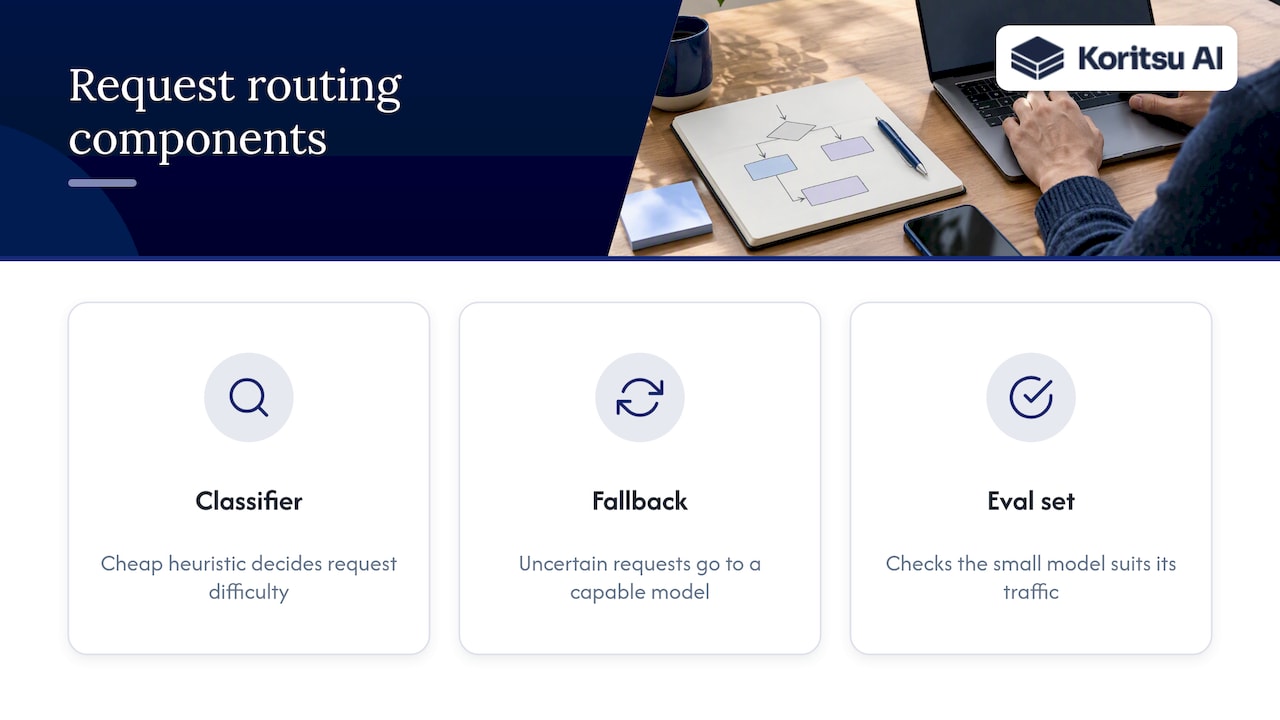
A routing layer needs three things: a cheap classifier or heuristic to decide difficulty, a fallback path when the small model is not confident, and an evaluation set that proves the small model is good enough for the traffic it receives. Without the last one, you are guessing.
Static capacity and slow scaling
If scaling up takes hours, teams over-provision permanently. In the Automat-it case study on AWS, automated scaling with warm pools on EKS cut scaling wait times from hours to under 70 seconds, which removed the need to hold spare GPU capacity. The lesson is not specific to EKS: the faster you can add capacity, the less you need to pay for in advance.
Autoscaling for AI needs more than a CPU threshold. Queue depth, tokens per second and latency targets are better signals. Our article on cost-aware autoscaling with SLO control walks through one framework that cut spend by 18% while holding service-level objectives.
Data pipelines feeding the models
Training and retrieval pipelines are easy to forget. Inefficient jobs, repeated full reprocessing and oversized clusters for Spark or similar tools add up quietly. The execution-aware telemetry approach to data pipeline costs shows how to find which stages burn money for little output.
Container sprawl around the AI service
AI services run on Kubernetes more often than not, and the cost of requests, limits and unused node capacity applies to the GPU pool as much as to anything else. Our runbook for container cost monitoring covers the checks that surfaced $7,500 of avoidable spend in one review.
A prioritised order of attack
Not every lever suits every team. This table is how we would sequence the work for a mid-sized UK engineering organisation with AI features in production.
| Order | Lever | Typical effort | Risk to quality | What to measure |
|---|---|---|---|---|
| 1 | Allocation and unit costs | Low to medium | None | Cost per request, per feature, per team |
| 2 | Switch off idle and non-production capacity | Low | None | GPU-hours idle, weekend spend |
| 3 | Batching and caching | Medium | Low | Cache hit rate, throughput per GPU |
| 4 | Model routing and right-sizing models | Medium | Medium | Eval score against baseline, cost per request |
| 5 | Autoscaling and warm capacity | Medium to high | Medium | Scale-up time, p95 latency, idle headroom |
| 6 | GPU sharing and scheduling | High | Low to medium | GPU utilisation per workload |
| 7 | Commitments and spot capacity | Medium | Low if workloads tolerate interruption | Coverage, effective discount on the bill |
Commitments are last on purpose. Buying a discount on waste locks the waste in. Once utilisation is fixed, commitment planning is much safer. Our guide to commitment management for FinOps teams covers how to size commitments and confirm the savings landed.
Do not trade cost for quality: use an eval gate
A cheaper AI system that gives worse answers is not a saving. It is a delayed incident. Microsoft’s guidance describes wrapping each cost change, such as swapping a model or changing batching, in an evaluation test that blocks the change if quality falls beyond a tolerance, with the change reverted automatically. That is the discipline we recommend.
A practical version:
- Build an evaluation set from real production inputs, with expected outputs or scoring criteria.
- Record baseline quality and baseline cost per request.
- Run every proposed change through the eval in CI.
- Set a tolerance (for example, no more than one point lost on a 100-point scale) and fail the build beyond it.
- Roll out gradually, comparing live metrics on a share of traffic.
This also changes the conversation with the business. Finance hears a cost number, product hears a quality number, and engineering can show both held.
Real examples of what is achievable
Public case studies give a sense of scale, though your results will depend on your starting point:
- Vannevar Labs cut ML inference costs by 45% using Ray Serve for standardised model serving and Karpenter for opportunistic capacity on Amazon EKS.
- Microsoft’s guidance cites typical inference cost reductions of 60 to 80% from routing most routine queries to smaller models. Treat that as a ceiling for well-suited traffic, not a promise.
These are vendor-published results from specific architectures. They show where to look. They are not a forecast for your estate, which is why the first step is always measuring your own workloads.
Our perspective: AI cost is an engineering problem first
We work with engineering teams on cloud bills every day, and one pattern repeats. Teams reach for pricing levers first: commitments, savings plans, negotiated rates. Those matter, but the larger savings are buried in how the software and infrastructure were built. A GPU held during preprocessing, a large model answering a lookup, a cluster sized for a launch that ended months ago.
This is why dashboards alone rarely move the number. A dashboard tells you that spend rose. It does not tell an engineer which deployment setting, which job or which model call to change, nor does it help them get the change reviewed and shipped. We built Koritsu around that gap. Kori, our AI agent, continuously analyses spend at resource level to show where money is being lost, and our specialists work with your engineers to act on it.
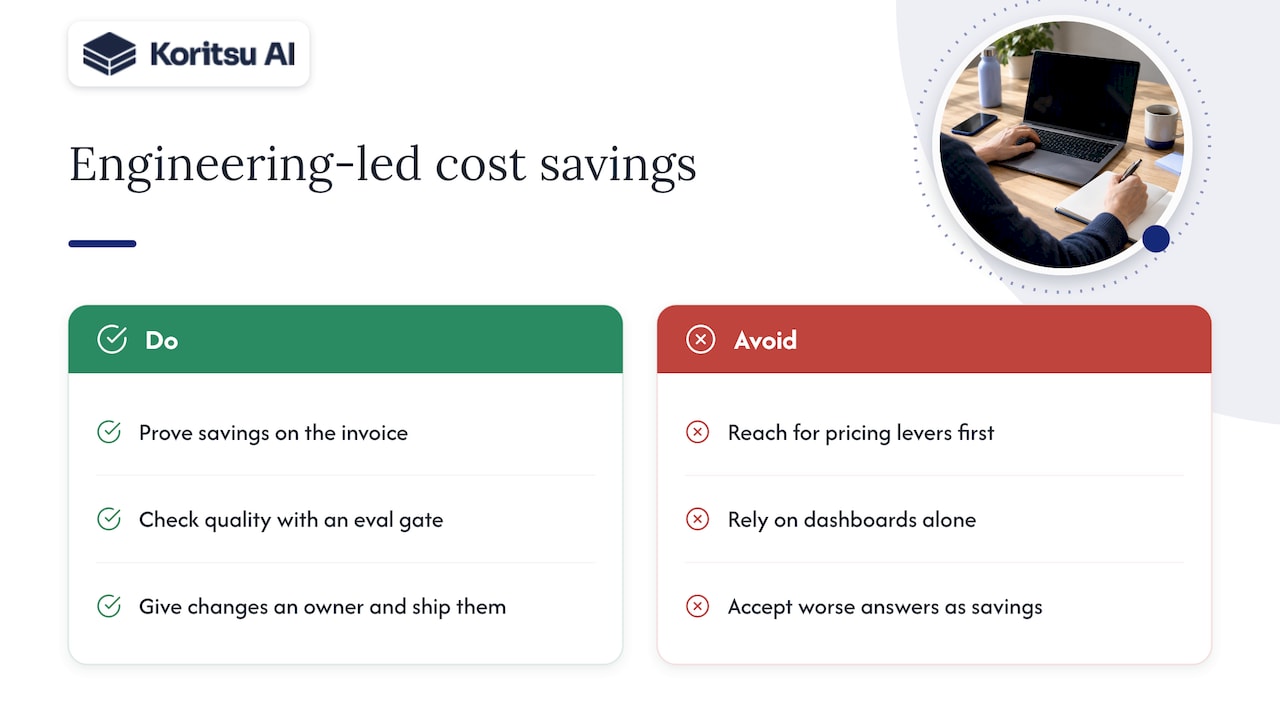
We also think savings should be proven, not promised. A saving that does not appear on the invoice is not a saving. For AI workloads in particular, we would add a second test: the saving must not cost you quality. Combine the bill check with an eval gate and you can defend the result to both your CFO and your product team.
The encouraging part is that most of this is fixable. It does not need a re-platform. It needs visibility, an owner and a few well-chosen changes, shipped in the right order.
Make it a habit, not a project
One-off clean-ups decay. New models ship, traffic shifts, and capacity creeps back up. To keep AI costs under control:
- Put cost per unit in the same review as latency and quality, for every AI feature.
- Give engineers cost feedback early, in pull requests and in staging, not three weeks later in a finance report. Our 90-day approach to DevOps cloud cost management and the piece on shifting FinOps left set out how.
- Alert on anomalies per workload, so a runaway job is caught in hours.
- Review commitments and capacity quarterly against actual utilisation.
How Koritsu can help
If you run AI workloads on AWS, Azure or Google Cloud and suspect you are overspending, we start with a free assessment. Our Savings Opportunity Report shows where the waste is and what to change. If you then want us to help implement it, we work on a success-fee basis: we charge a share of the savings we actually find, verified against your billing. For continuous monitoring and hands-on support, FinOps as a Service offers the Monitor, Advisor, Embedded and Premium plans. Our access is read-only and limited to infrastructure and billing data, as described on our security page.
FAQ
What does cost optimisation mean for AI workloads?
It means reducing what you pay to train and run AI systems while holding quality and latency steady. That covers GPU and compute spend, model and API usage, storage and data pipelines. The aim is a lower cost per unit of business output, not a smaller bill at any price.
Where should we start if our AI spend is rising fast?
Start with attribution: which team, feature and workload drives each part of the bill. Then look for idle GPUs and non-production capacity, because these are usually the quickest wins with no quality risk. Model routing and autoscaling follow once you can measure quality and unit cost.
Are spot instances and commitments the answer?
They help, but they come after utilisation work. Spot capacity suits interruptible jobs such as checkpointed training, and commitments suit stable baseline demand. Buying either before fixing idle capacity means paying a discounted price for waste.
How do we know a saving is real?
Compare it with the billing data, not with a forecast. Look at the same workload before and after the change, adjusted for traffic, and pair it with an evaluation result showing quality held. We verify our own savings against the actual bill before any fee applies.
Sources
- The State of FinOps Report 2025
- FinOps for AI Overview, FinOps Foundation
- Optimize cost for AI workloads on Azure, Microsoft Learn
- The $300 Billion AI Infrastructure Crisis No One Is Talking About, Observer
- Optimizing AI implementation costs with Automat-it, AWS
- How Vannevar Labs cut ML inference costs by 45% using Ray on Amazon EKS, AWS
- The CTO’s AI Playbook, Part 1, Experis